Product tours: what they are and how to build one
A product tour is a short sequence of messages inside your app that walks someone through a real task, one step at a time, pointing at the actual interface. A good one gets a new user to their first useful result. This guide covers the main types, what to copy, what to avoid, and how to build one without code.
What a product tour is for
A tour earns its place when someone is already in the product and does not know what to do next.
Getting to the first result
An empty dashboard asks people to guess. A few steps to one real action, such as creating a project or inviting a teammate, removes the guess.
Showing what shipped
People who would use a new feature often never notice it. A short tour shows it to them on the screen where it lives.
Explaining the difficult part
Settings, imports and permissions produce the same questions again and again. A step beside the confusing control answers them at the moment they come up.
Building product tours in Clew
First tooltip in 15 minutes
Open your own page, click an element — the selector is captured for you — and write the text right on the live page, not in a mockup.
Tours, tooltips, checklists, modals
Every format is built in one editor and follows the same display rules — by URL, segment, trigger and frequency.
See where people get stuck
Step-by-step funnels and drop-offs, plus detection of hints that broke after a front-end release. Counted with a random browser ID — no IP addresses, no personal data.
Types of product tours
Step-by-step walkthrough. A chain of tooltips attached to real elements. It suits a task with a clear order, such as setting up a first report.
Single tooltip or hint. One message on one control, shown when someone reaches it. It is the least intrusive format and often all a screen needs.
Welcome or announcement modal. A centred message that is not tied to an element. Use it to greet someone or announce a release, then hand over to the product.
Onboarding checklist. A short list of first tasks that stays on screen and remembers progress, so people can do them in any order.
Interactive demo. This one is different: a clickable copy of the product on a marketing site, for people who have not signed up. An in-app tour runs in the real product for people who already have.
Product tour examples worth copying
Most strong tours do one job. A welcome tour leads to one key action. An empty-state hint appears where there is nothing yet. A feature tour appears only for the people who can use the feature. A tooltip explains a hard control the first time someone touches it.
We wrote these up with sample copy and what to measure in eight product tour examples, and you can see how real products do it in our onboarding teardowns.
How to build a product tour
- Pick one outcome. Name the action after which the product starts being useful. If you cannot name it, you are not ready to write the tour.
- Write the shortest path to it. Three to five steps is a good limit. Cut every step that names something the user can already see.
- Attach each step to the real interface. In Clew you open your page, click the element and write the text there. A developer adds one script tag once, and you can try every format first.
- Choose who sees it and when. Set the page, the trigger and how often it appears, so nobody sees the same tour twice.
- Measure each step. Look at where people drop off, fix that step, and A/B test the change when you have enough traffic.
Common product tour mistakes
Touring the whole interface. People forget a list of buttons. Lead them through one task instead.
Starting before they are ready. A tour that fires over a loading screen or an unrelated task gets dismissed.
No way out. Always let people skip, and do not show the same tour again after they do.
Forgetting releases. When the interface changes, a step can lose its element. Clew skips that step instead of breaking the tour and flags it for you.
Build it, use a library, or use a tool
A library such as React Joyride, Driver.js, Shepherd.js or Intro.js fits when developers own the tours and they rarely change. Targeting, analytics and every copy change stay with engineering, and licences differ. See React Joyride, Driver.js and Intro.js alternatives.
No-code product tour software fits when product or marketing should change tours without a release. Compare what the options do and cost.
Clew is the second kind. The free plan covers tours and tooltips with 3 published tours and no visitor caps. Modals, audience rules, checklists and A/B tests start on Pro at $14.99/month. It works on the web, not in native mobile apps, and can run on your own servers.
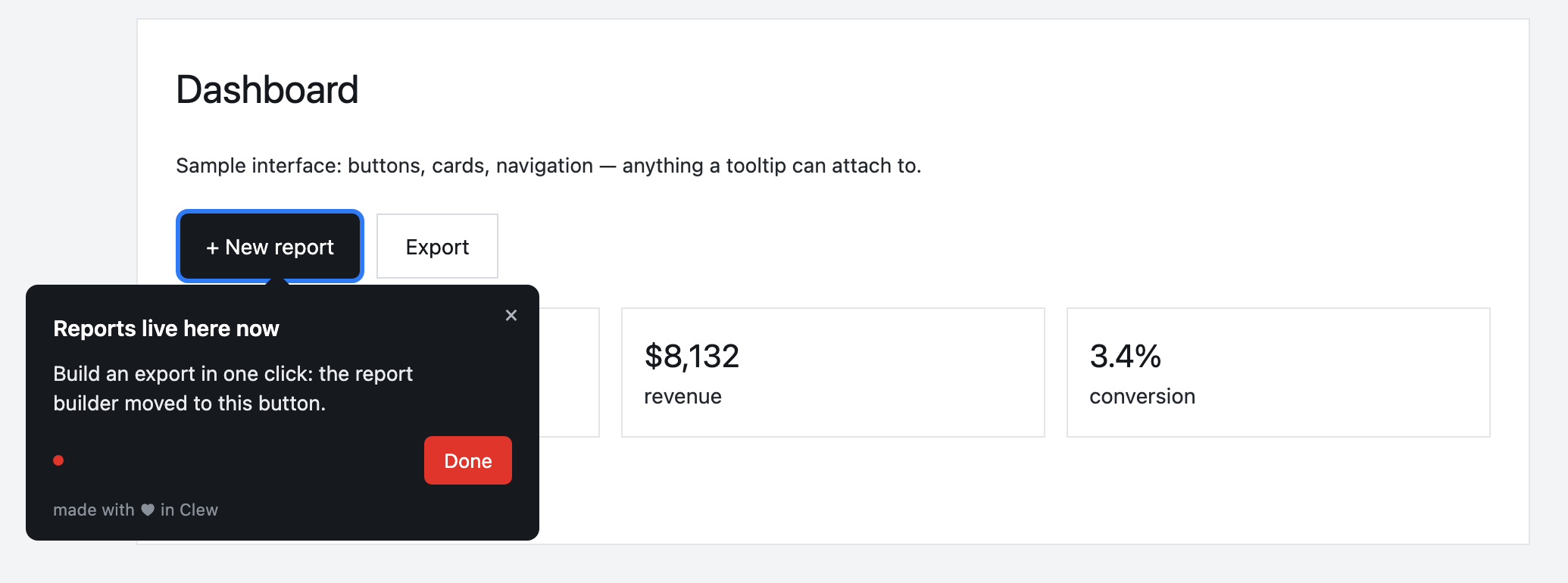
A hint inside your product
A tour, tooltip, checklist or modal — built in the visual editor and shown by URL, segment, trigger and frequency. A product manager or marketer edits it, with no release.
This is an illustrative scenario, not a real customer. Real customer stories will appear here as they happen.
Why teams build tours in Clew
Frequently asked questions
What is a product tour?
A product tour is a guided sequence of messages shown inside an app. Each step points at a real part of the interface and moves the user toward a task, usually their first useful result.
What is the difference between a product tour and an interactive demo?
A product tour runs inside the real product for people who already have access. An interactive demo is a clickable copy of the product, usually on a marketing site, for people who have not signed up yet.
How many steps should a product tour have?
As few as the task allows. Three to five is a sensible limit for a first tour. If it needs more, split it or show the later steps when the user reaches them.
Is there free product tour software?
Yes. Clew has a free plan with no time limit: one site, 3 published tours and no visitor caps, with no credit card required.
Do I need a developer to create a product tour?
Not to build it. You can set up a tour on your own page with the Clew bookmark and see it in your browser. To show it to your users, one script tag has to be added to the site once, through your code or a tag manager.
Do product tours work in single-page apps?
Yes. Clew follows route changes in React, Vue and other single-page apps, and each step stays attached to its element.
Do Clew product tours work in native mobile apps?
No. Clew works in web apps and on websites. If you need native iOS or Android onboarding, choose a tool with mobile SDKs.
Using Clew? Your numbers on activation and support load belong in this spot.