Tooltips, tours and checklists inside your product
Your product team sets them up, not your developers: add one script tag, then
mark up the interface yourself — no releases. Run it in our EU cloud or on your own
servers, and pay by card without per-MAU pricing. An affordable alternative to Appcues, Pendo and Intercom.
Try it freeFree forever · Pro and Business — 14-day trial, no card
React · Vue · any SPA · self-hosted on request
app.your-product.com/dashboard
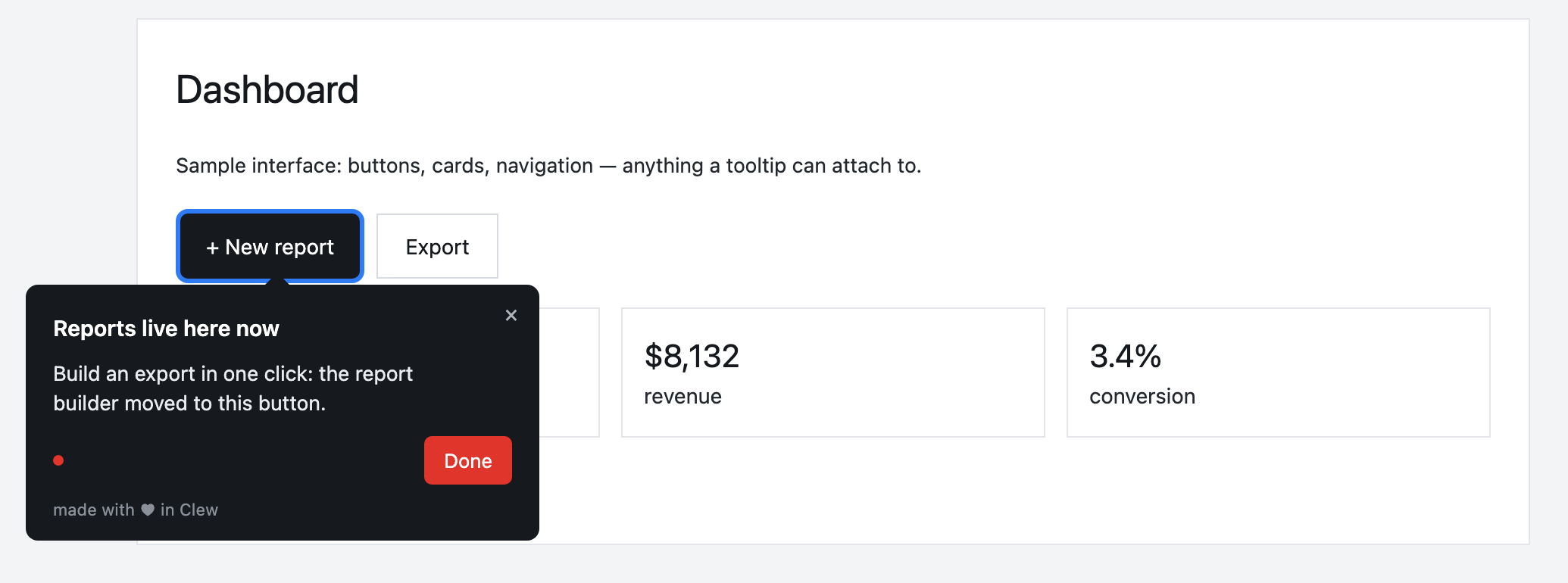
This is how a tooltip looks on a live page — not a mockup, the real widget.
Why product teams need it
Three things product teams own — and that tours move directly.
Faster activation
New users reach first value instead of abandoning the product on an empty screen. A tour walks them to the key action.
Fewer support tickets
Answer the recurring “where do I find…” with a tooltip right in the interface — where the question comes up, not in a help center nobody reads.
Announcements people see
Announce a new feature with a modal on the feature’s own page. Not an email lost in spam, but a message where the feature is used.
Three steps to your first tooltip
A developer is needed once at most — in step one, and not even then.
01
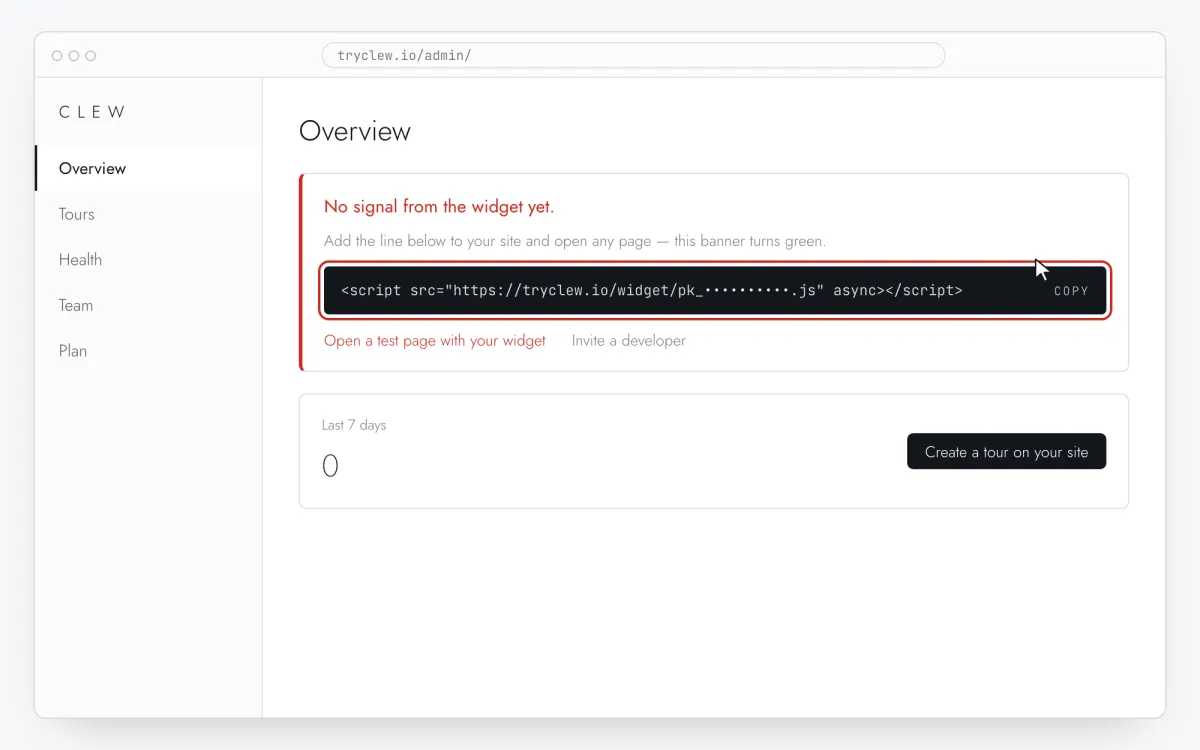
Connect it
One line on your site — by hand, through a tag manager, your site builder or an AI assistant. Works with React, Vue and plain HTML, and survives route changes in single-page apps.
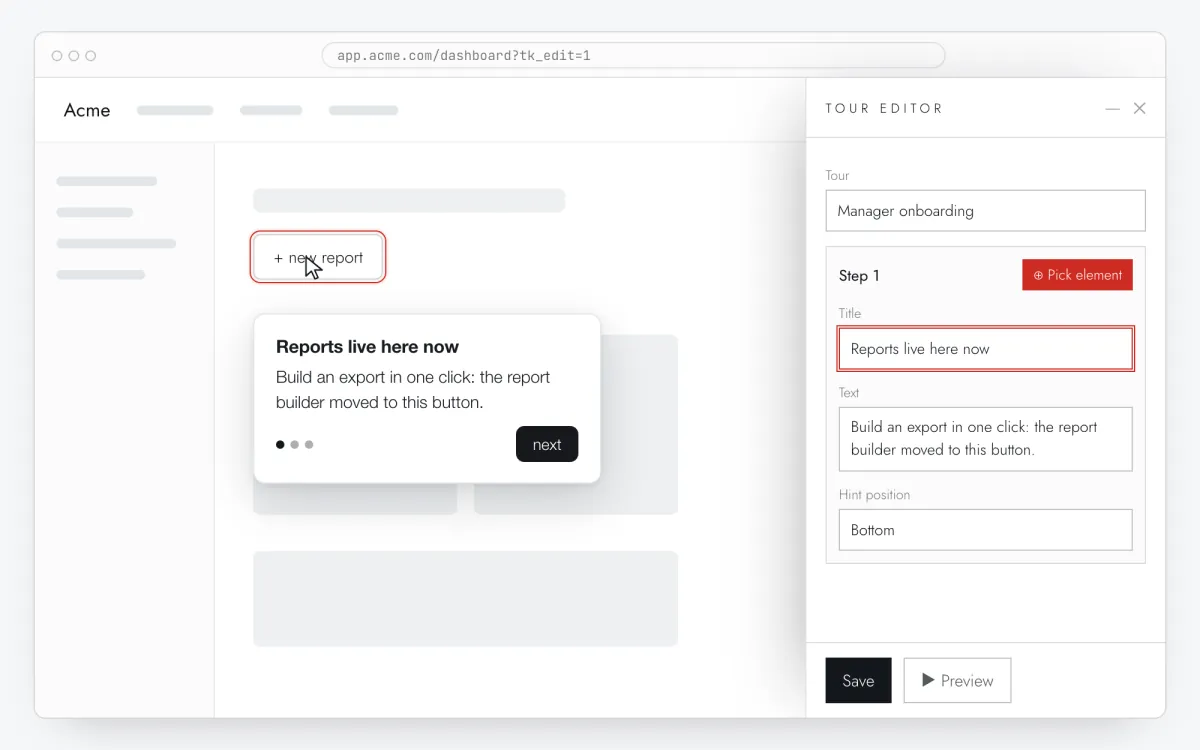
Open your own site, click the button you mean, write the tooltip text. No CSS selectors, no ticket for a developer, no release: the editor works on top of your page.
Reports live here now
Build an export in one click: the report builder moved to this button.
Next
This is a real Clew tooltip: the markup and styles come from the widget you put on your site.
03
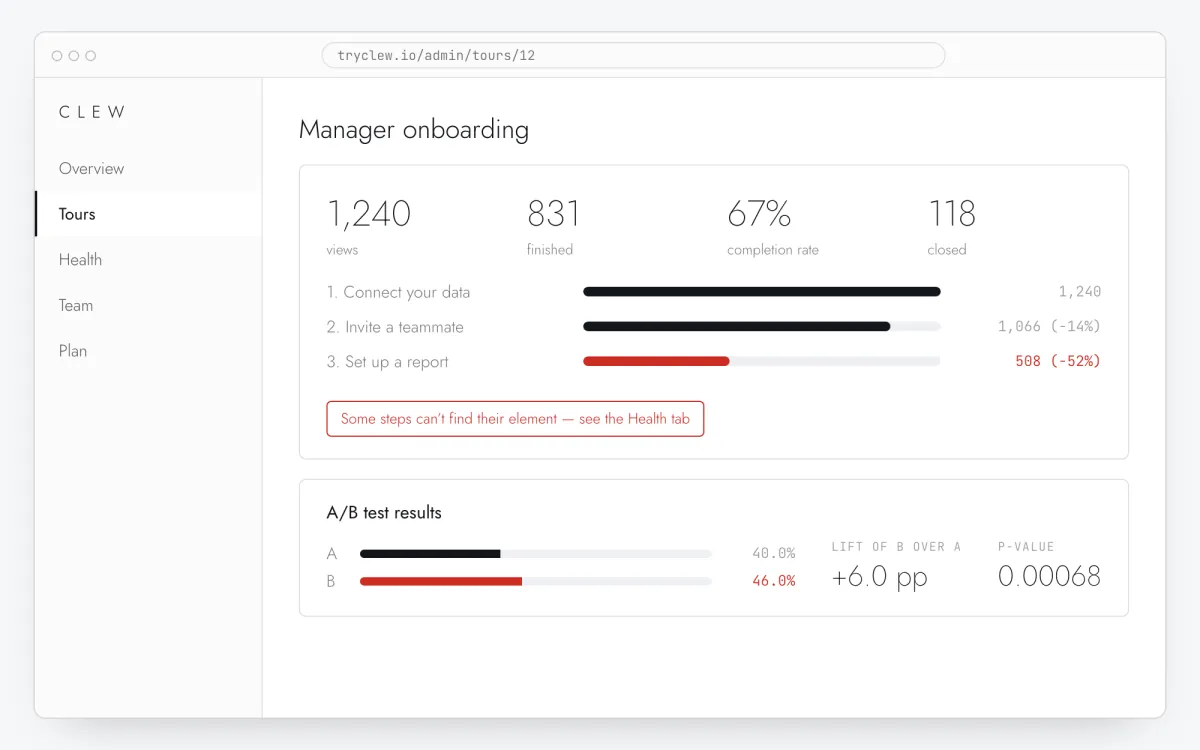
See where people drop
Views, completions and dismissals are counted by an anonymous in-browser id — no IP addresses, no personal data.
A step funnel: you see which step people leave on
A step that can no longer find its element flags itself
A/B tests with a p-value and a sample plan — on Pro and above
Sample data for illustration
Three formats, one editor
All of them are drawn by the same widget and follow the same display rules. Below is the widget itself, not a picture of it: these overlays are built from its own markup and styles.
+ new reportexport
Step oneStep two
The tooltip holds on to its element and moves with it.The next step is another element on the same page.
Next
Tours and single tooltips
A chain of tooltips with a pointer and progress dots: each step holds on to its element and moves with it. A single step with nothing after it is simply a hint on a button. Eight product tour examples →
Included in the free plan
×
Release 4.2
Excel export, dark mode and a new report builder.
Done
Modal
For announcements and welcomes: centred over a dimmed backdrop, not tied to any element.
Pro and above
×
Onboarding checklist
Sits in the corner of the screen and remembers progress between visits. Items are ticked by the user — try it right here.
Pro and above
See what onboarding changes
An A/B test shows each tour’s contribution to activation — the variant with tooltips against a control group. You also see when a tooltip can no longer find its element: that usually happens after a front-end release, and teams find out weeks later.
Onboarding A/B test, sample data
ControlWith Clew tour
One tour, split into cohorts. Activation and return are counted by a random
in-browser ID: no IP addresses, no personal data — GDPR-friendly by design.
Tour health, sample data
Manager onboarding1,240 views · working
OK
Step 3 — selector not found.report-btn--a91f missing since August 14
Fix
Checklist “First setup”working
OK
Clew notices on its own when a tooltip can no longer find its element — this
usually breaks after a front-end release. The tour doesn’t crash: the broken step is
flagged and skipped, and you see it right away, not weeks later.
Pricing
Free has no time limit. Try Pro and Business for 14 days without a card — test your hypothesis before you pay. Plans differ by scale: sites, team seats and published tours, never by monthly active users. Lifetime and Self-hosted are one-time payments, no subscription. How onboarding tools price, compared →
Free has no time limit. Pro and Business come with a 14-day trial, no credit card required. Lifetime and Self-hosted are one-time payments, no subscription. Prices are in US dollars.
Refer a friend — a month of Pro for everyone who pays for a plan. How it works →
Visitors and tooltip views are not capped. Cloud plans are subject to fair use: if an account’s load is many times higher than typical for its plan, we will reach out and suggest a better fit — we will not switch your tours off.
Start with one line
In the cloud — sign up and paste the tag. Self-hosted — spin up the server and paste the same tag.