Product tours without code — click, write, publish
A developer adds one script tag. After that, anyone on the team — product, marketing, support — builds tours, tooltips, checklists and modals by clicking elements on your live page. No selectors to hunt for, no release, no ticket.
Why product tours usually need an engineer
Tours are simple to describe and surprisingly slow to ship.
Every step is markup and logic
Positioning, element anchoring, display rules and a release — for a three-step tour.
Tours break silently
A front-end rebuild regenerates CSS classes, a step loses its element, and nobody notices for weeks.
One attempt per sprint
Rewriting a tooltip means another ticket, so the first draft becomes the final version.
How Clew solves it
First tooltip in 15 minutes
Open your own page, click an element — the selector is captured for you — and write the text right on the live page, not in a mockup.
Tours, tooltips, checklists, modals
Every format is built in one editor and follows the same display rules — by URL, segment, trigger and frequency.
See where people get stuck
Step-by-step funnels and drop-offs, plus detection of hints that broke after a front-end release. Counted with a random browser ID — no IP addresses, no personal data.
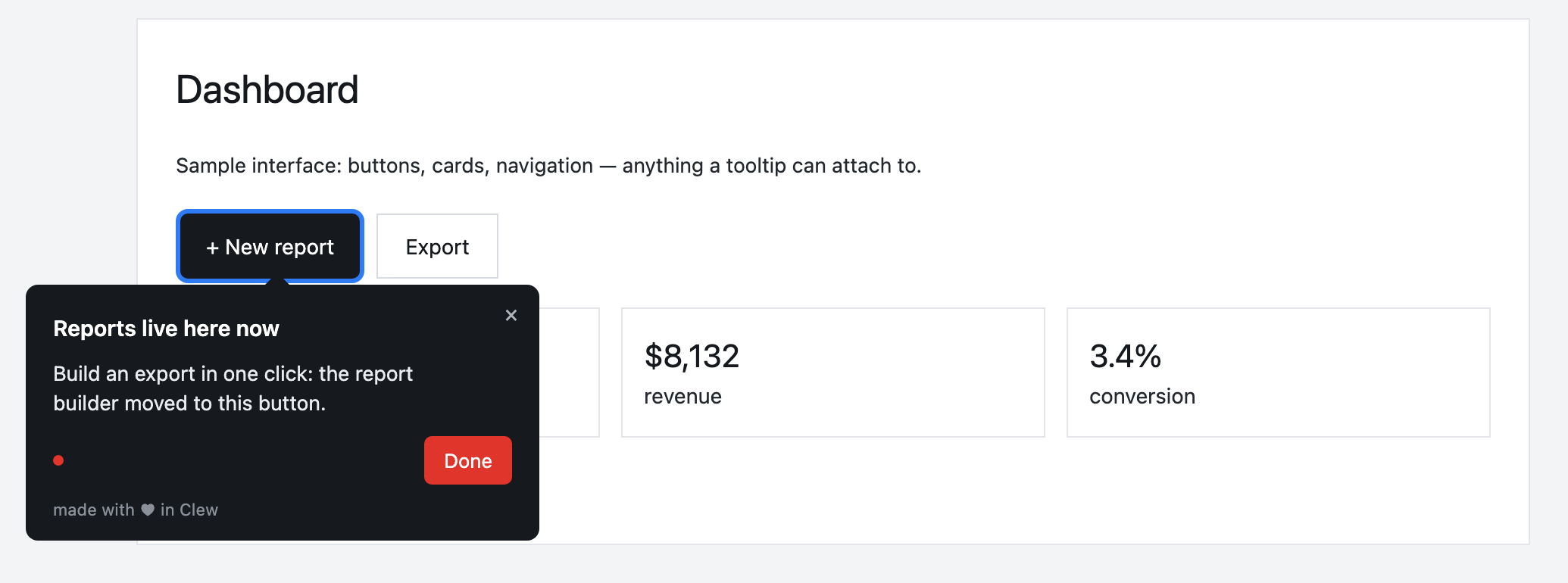
A three-step tour to the first project
Click “New project” — the selector is captured and prefers stable anchors like data-tour attributes. Write the step text on the page, add two more steps, choose “show to new users on /projects once”, publish.
This is an illustrative scenario, not a real customer. Real customer stories will appear here as they happen.
Built for non-engineers
Frequently asked questions
Can someone without coding skills really build a product tour?
A developer adds one script tag. After that, anyone on the team — product, marketing, support — builds tours, tooltips, checklists and modals by clicking elements on your live page. No selectors to hunt for, no release, no ticket.
Do I need a developer to set up onboarding?
Only once — to paste one script tag into your page. After that, product managers, marketers or support build tours, tooltips and checklists in a visual editor right on the live page, with no releases.
Does Clew work with React, Vue and single-page apps?
Yes. The widget is dependency-free vanilla JavaScript; it survives route changes in single-page apps and does not pull in a framework.
Can I self-host Clew?
Yes. Run it in Docker or as a single Node process with a built-in SQLite database; visitor data stays on your servers. The self-hosted edition is a one-time license with a year of updates and support.
How much does Clew cost?
The Free plan is free forever: 1 site and up to 3 published tours, no visitor caps. Pro ($14.99/month, 20 published tours, no visitor caps) and Business come with a 14-day trial, no credit card. There is also a one-time Lifetime license and a self-hosted box.
Using Clew? Your numbers on activation and support load belong in this spot.