How to add a popup to your website without a developer
A popup is the fastest way to say one important thing: an offer, a launch, a “need help choosing?” prompt. With Clew you write it in an editor, pick the page and the moment, and it appears on the live site — no plugin per page, no code, no release.
- Time
- ● 10 minutes
- Price
- 14-day free trial, no card
- Format
- Modal window
What a Clew popup is
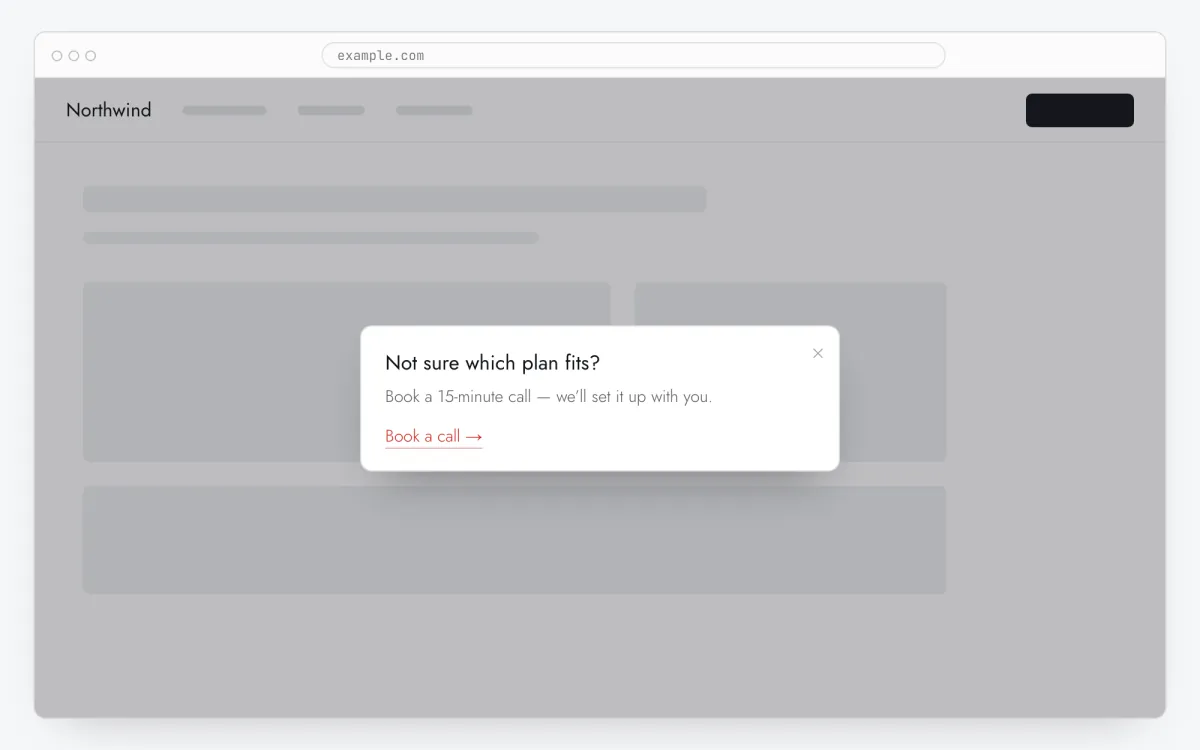
A modal window (popup, pop-up, lightbox) appears in the center of the screen above the page. In Clew it is a tour with the Modal window format: one or several steps, each with a title, text and an optional link button that opens your page in a new tab.
Unlike popups hard-coded into a theme, it has rules: which pages, after how many seconds or how much scrolling, on which visit, for which users — and it is shown once per visitor unless you choose otherwise. Views, completions and closes are counted.
When a popup helps — and when it annoys
Offer on the second visit
People who come back are warmer. On the Nth visit shows the offer to them and leaves first-time visitors alone.
Help on a hesitant page
On pricing or a long product page, a delayed “Not sure which plan? Talk to us” catches people who linger instead of interrupting everyone.
Announcements
A new feature, a changed schedule, holiday delivery times: one modal, once per visitor, then it gets out of the way.
What to avoid
Popups on page load for every visitor, several in a row, or without a close button. Clew always shows a close button and one item at a time.
How to add a popup in 5 steps
- Step 01
Copy your Clew snippet
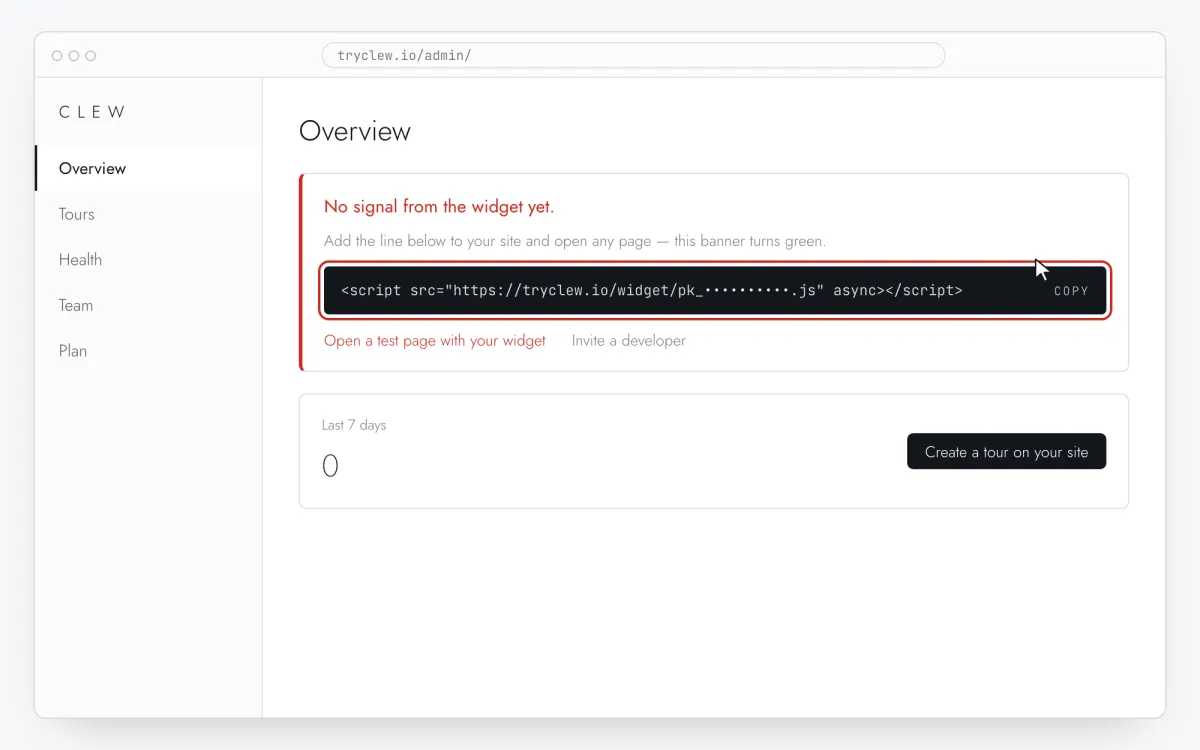
Create a free account (or sign in), add your site and open Admin → Overview. Click the line in the “No signal from the widget yet.” card to copy it — it carries your real site key instead of the placeholder.
<!-- Clew: replace PASTE_YOUR_SITE_KEY with the site key from Admin > Overview -->
<script src="https://tryclew.io/widget/PASTE_YOUR_SITE_KEY.js" async></script>
Step 1 · schematic illustration - Step 02
Add the line to your site once
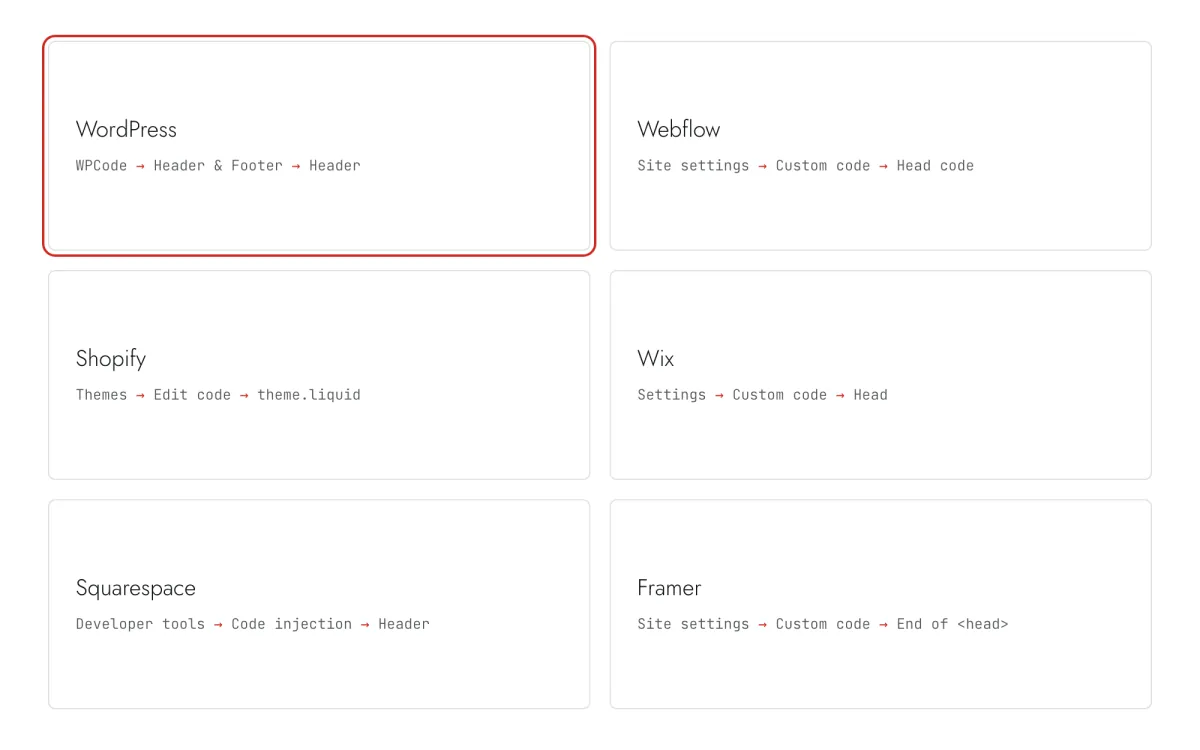
Paste the snippet wherever you manage the site. Each guide takes 5–10 minutes and never has to be repeated: everything else happens in Clew.
Step 2 · schematic illustration - Step 03
Write the popup in Clew
In Clew open Flows → + New flow, set Format to Modal window. Add one step: a short title, one or two sentences, and in Link text / Link URL the button text and the page it opens. The modal needs no element selector — it always appears in the center.
Step 3 · schematic illustration - Step 04
Choose where, when and for whom it shows
In the same editor, set Where to show (page URL), When to show, Audience targeting and Frequency. These are the settings of the example above:
Setting Value Format Modal window Where to show (page URL) Section by prefix /collectionsWhen to show On the Nth visit: 2 Audience targeting No rules — everyone who opens the page Frequency Once per visitor 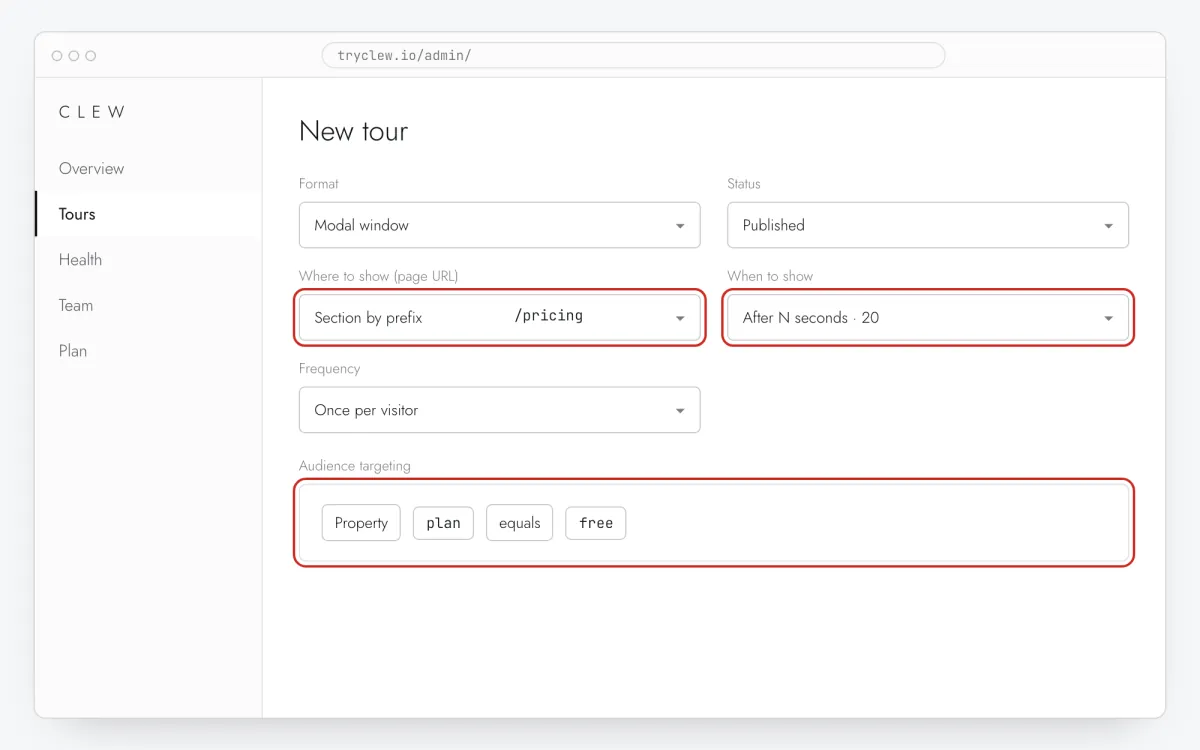
Step 4 · schematic illustration - Step 05
Publish and check it on the live site
Set Status to Published and save. Open the page in a private window — Clew remembers who has already seen a “once” item, so your usual browser may skip it. Views, completions and drop-offs appear in the tour stats.
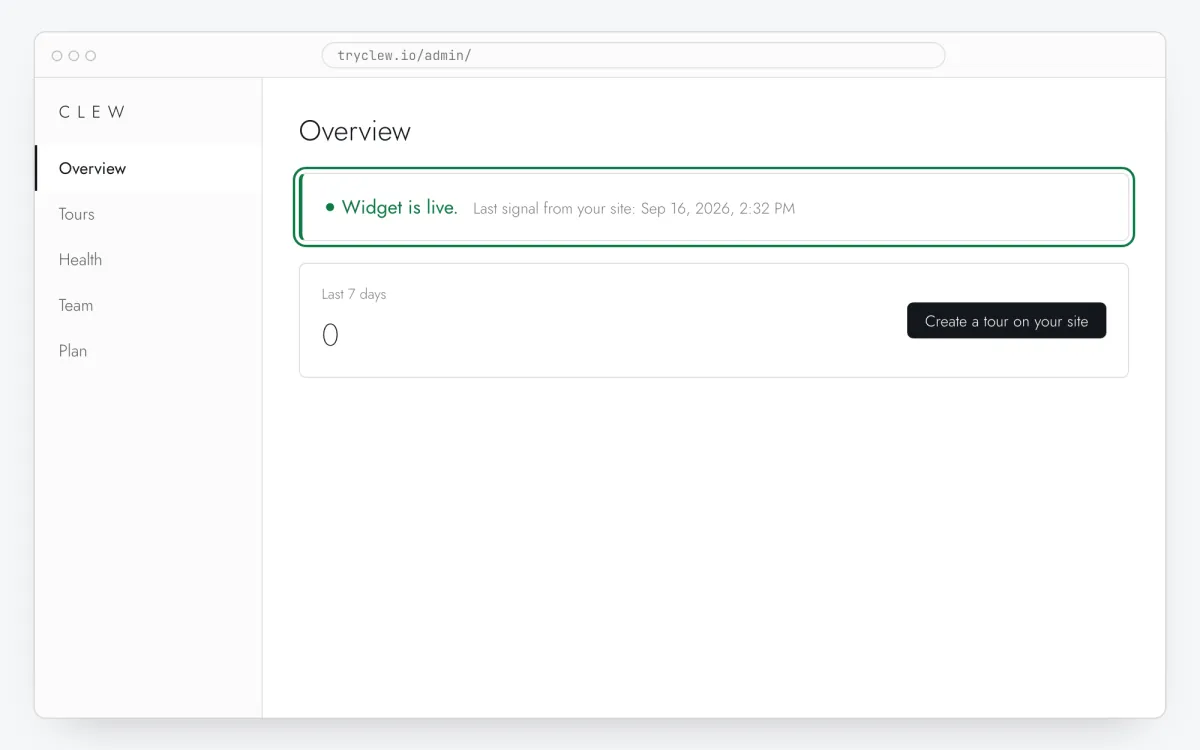
Step 5 · schematic illustration
Step-by-step: popup on your platform
Pick the platform your site or app is built with. Every guide has the insertion steps, a worked example with ready settings, and the pitfalls of that platform.
- ShopifyHow to add a popup to a Shopify store without a developer
- WordPressHow to add a popup to a WordPress site without a developer
- WebflowHow to add a popup to a Webflow site without a developer
- WixHow to add a popup to a Wix website without a developer
- FramerHow to add a popup to a Framer site without a developer
- Google Tag ManagerHow to add a popup to your website with Google Tag Manager without a developer
Is it free?
This format is part of the Pro plan. Every new account starts with a 14-day free trial with all formats and audience rules, no card required. When the trial ends nothing is deleted and published items keep showing; the Free plan keeps tours and tooltips free.
Questions and answers
Is the popup free?
Popups use the modal format, which is part of Pro. Every new account gets a 14-day trial with all formats, no card. Tours and tooltips stay free on the Free plan.
Can the popup contain a form?
No. A Clew modal has a title, text and a link button. Link it to your existing form, booking page or chat — that keeps data collection in the tools you already trust.
Will it hurt SEO?
The popup is added by a script after the page loads and is closed with one click. Google warns against intrusive interstitials that hide content on mobile right away; use a delay, scroll or second-visit trigger rather than an instant full-screen overlay.
How do I show it only once?
Set Frequency to Once per visitor. Clew remembers in the visitor’s browser that the popup was finished or closed.