How to add a rating popup to your website without a developer
A rating popup asks one question at the right moment and does something useful with the answer. Clew’s version has two steps: the score, then a branch — a thank-you with your public review page for a high score, a short feedback box for a low one. You set the copy, the review link and the moment in an editor; results and written feedback appear in your stats.
- Time
- ● 15 minutes
- Price
- 14-day free trial, no card
- Format
- Rating (2 steps)
What the Clew rating popup is
It is a tour in the Rating (2 steps) format. Step 1 shows your question and a scale: five stars, 0–10 (the NPS question) or three faces. Step 2 branches on the score: at or above the threshold you set — 4 of 5 stars, or 9–10 for NPS — the visitor sees a thank-you and a button to your public review page, opening in a new tab. Below it, they see “What should we improve?” with a text box and, if you enable it, an optional email field with a consent line.
By default the review link also appears on the unhappy branch, smaller and after the feedback box: review platforms require that every customer can be invited, not only the happy ones. The popup follows the same rules as any Clew item — pages, delay, scroll, visit number, audience properties, once per visitor — and works with the keyboard and on phones.
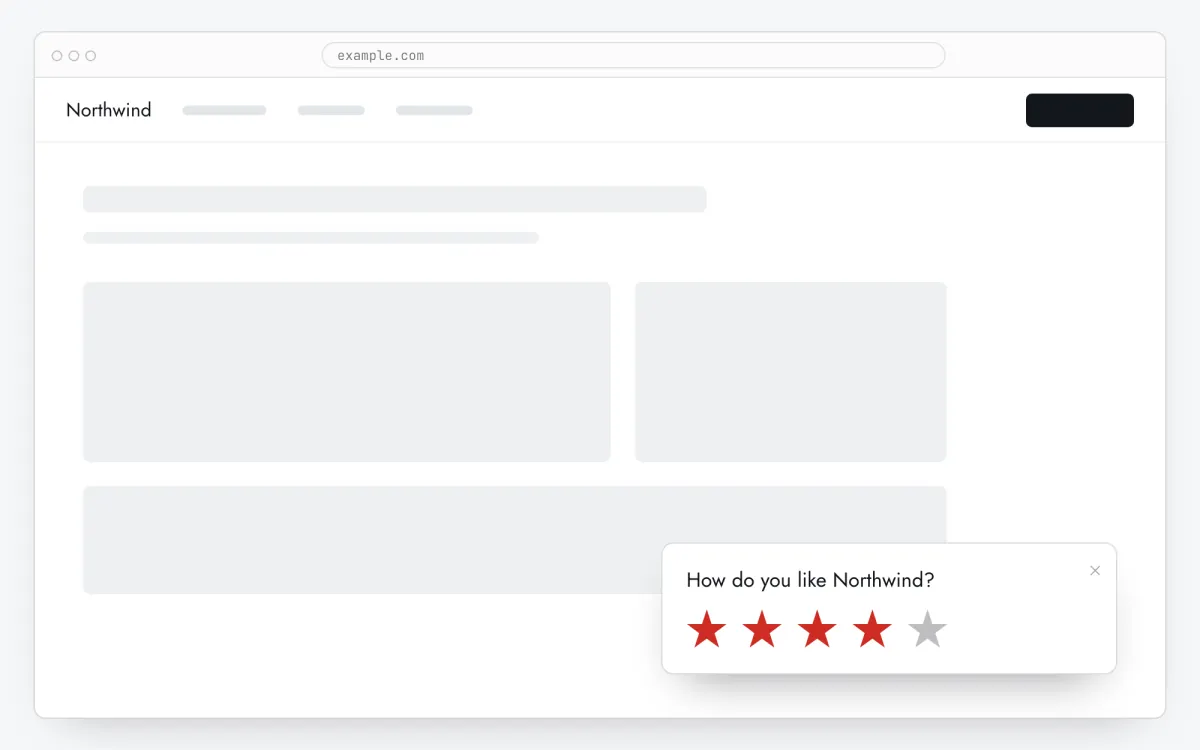
When a rating popup helps — and when it doesn’t
After the value is delivered
Ask on the third visit or 30 seconds into a page where the customer already got something done — an order page, a finished report — not on the first landing.
Measuring NPS on the site
Choose the 0–10 scale: the stats show promoters, passives, detractors and the NPS itself (% promoters − % detractors), plus the written reasons.
Hearing a problem before it becomes a public review
An unhappy visitor gets a box to tell you what went wrong. You read it in the stats and can reply if they left an email with consent.
What to avoid
Asking on the first second of the first visit, asking again after an answer, and showing the review link only to people who gave five stars. Clew shows one popup at a time, once per visitor by default, and the link to everyone.
How to add a rating popup in 5 steps
- Step 01
Copy your Clew snippet
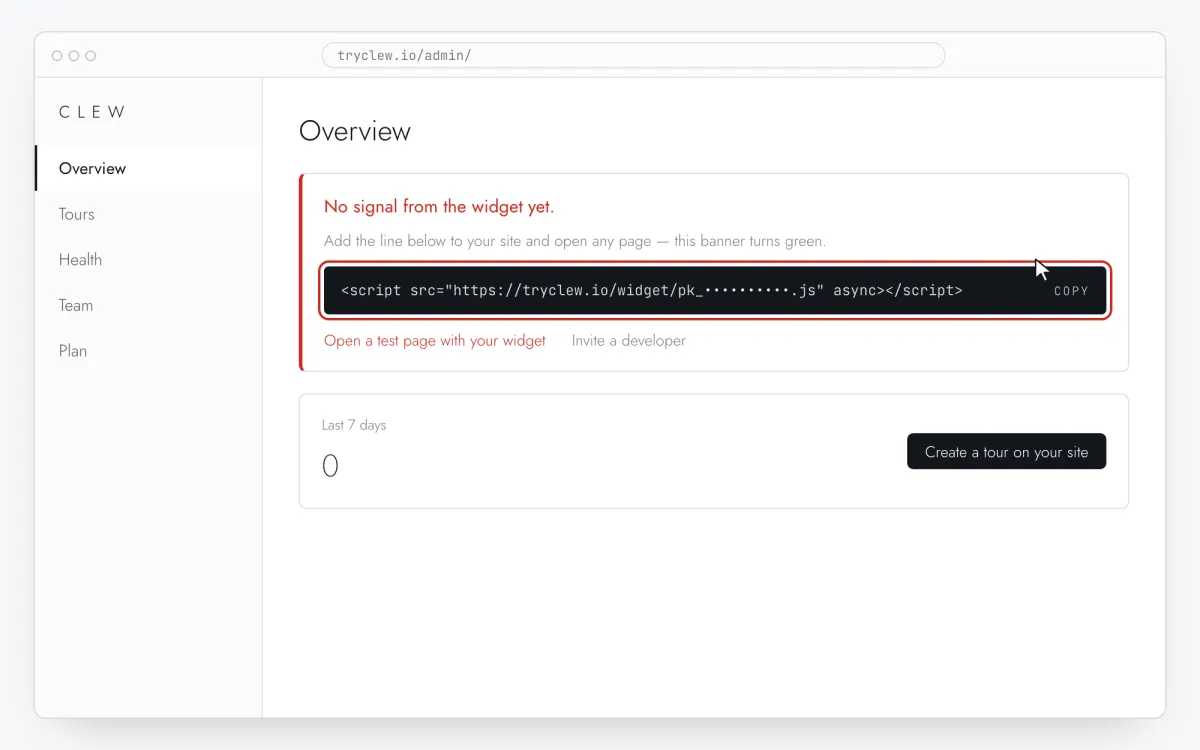
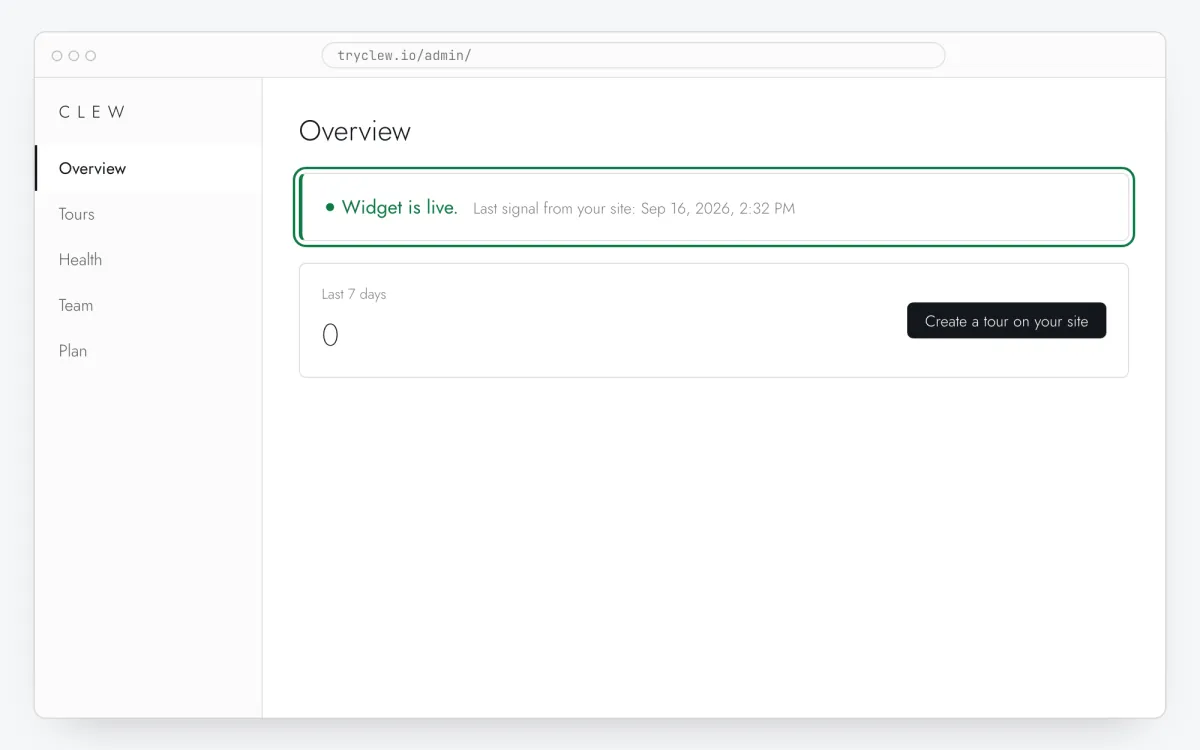
Create a free account (or sign in), add your site and open Admin → Overview. Click the line in the “No signal from the widget yet.” card to copy it — it carries your real site key instead of the placeholder.
<!-- Clew: replace PASTE_YOUR_SITE_KEY with the site key from Admin > Overview -->
<script src="https://tryclew.io/widget/PASTE_YOUR_SITE_KEY.js" async></script>
Step 1 · schematic illustration - Step 02
Add the line to your site once
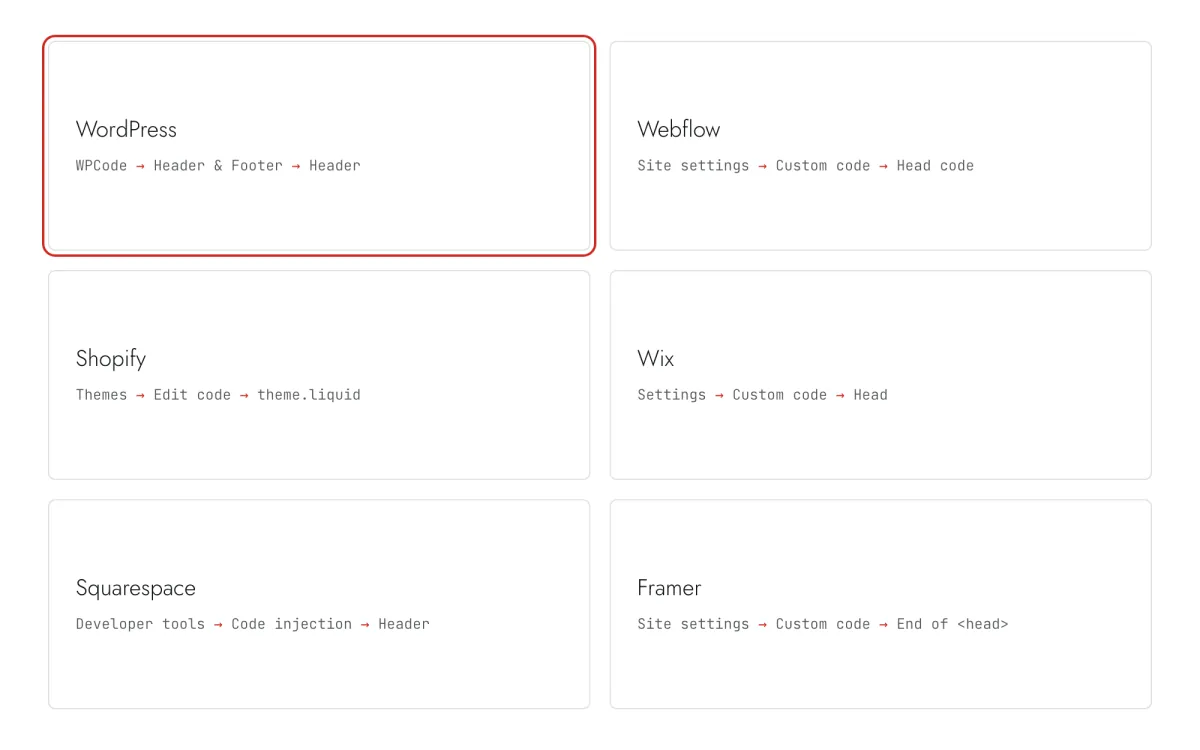
Paste the snippet wherever you manage the site. Each guide takes 5–10 minutes and never has to be repeated: everything else happens in Clew.
Step 2 · schematic illustration - Step 03
Set up the rating in Clew
In Clew open Flows and either press + New flow and set Format to Rating (2 steps), or use Templates → Two-step service rating. Write the question, choose Scale and Satisfied from, and paste your review page into Public review page. Leave Show the public review link to unsatisfied visitors too on — that is what review platforms require.
Step 3 · schematic illustration - Step 04
Choose where, when and for whom it shows
In the same editor, set Where to show (page URL), When to show, Audience targeting and Frequency. These are the settings of the example above:
Setting Value Format Rating (2 steps) Where to show (page URL) Section by prefix /coursesWhen to show On the Nth visit: 3 Audience targeting No rules — everyone who opens the page Frequency Once per visitor 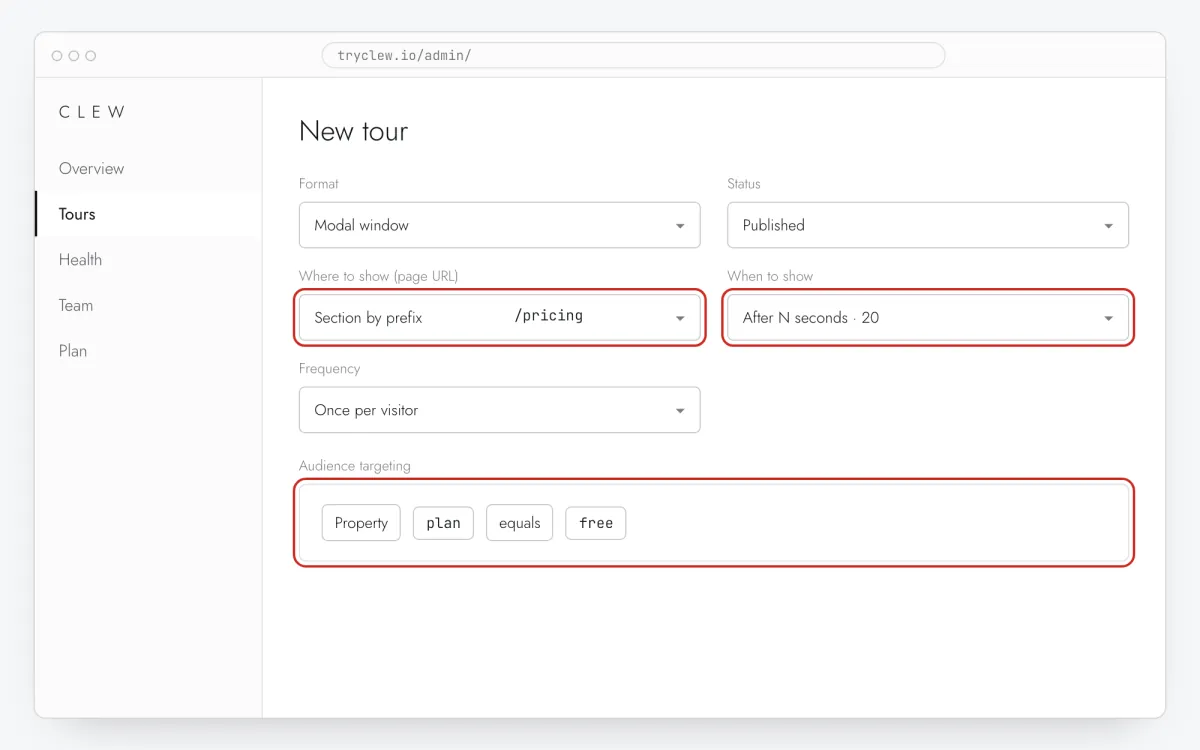
Step 4 · schematic illustration - Step 05
Publish and check it on the live site
Set Status to Published and save. Open the page in a private window — Clew remembers who has already seen a “once” item, so your usual browser may skip it. Views, completions and drop-offs appear in the tour stats.
Step 5 · schematic illustration
Step-by-step: rating popup on your platform
Pick the platform your site or app is built with. Every guide has the insertion steps, a worked example with ready settings, and the pitfalls of that platform.
Is it free?
This format is part of the Pro plan. Every new account starts with a 14-day free trial with all formats and audience rules, no card required. When the trial ends nothing is deleted and published items keep showing; the Free plan keeps tours and tooltips free.
Questions and answers
Is the rating popup free?
The rating comes with the popup formats in Pro. Every new account gets a 14-day trial with all formats, no card. Tours and tooltips stay free on the Free plan.
Can I show the review link only to happy customers?
There is a switch, off by default for a reason: inviting only satisfied customers (“review gating”) breaks Trustpilot’s and Google’s rules and the FTC rule on reviews in the US, and may be illegal elsewhere. Keep the link for everyone; step 2 still gives unhappy customers a private place to explain.
How is NPS calculated?
On the 0–10 scale, 9–10 are promoters, 7–8 passives and 0–6 detractors. NPS is the share of promoters minus the share of detractors, from −100 to +100. Each visitor counts once, with their latest answer.
Where do the written answers go?
To the rating’s stats in Clew: newest first, with the page and the date, and a CSV export. The text is not stored in the analytics events, and an email is kept only when the visitor ticked the consent line under it.
Does it work with tracking turned off?
Yes. With data-no-track or Clew.setTracking(false) the popup still shows and works, and nothing — score, click or text — is sent.