How to add a paywall upgrade prompt with ChatGPT Codex without a developer
A soft paywall with ChatGPT Codex: when a free user reaches a paid feature, a modal explains the upgrade and links to your pricing page — targeted by plan, measured, and editable without a release.
- Time
- ● 20 minutes
- Price
- 14-day free trial, no card
- Who does it
- You and Codex
Example: an upgrade prompt with ChatGPT Codex
A task board maintained with Codex. Free users clicking Automations (data-tour="automations") on /board get a modal “Automations save 3 hours a week — on Business” with a link to plans.
This format is part of the Pro plan. Every new account starts with a 14-day free trial with all formats and audience rules, no card required. When the trial ends nothing is deleted and published items keep showing; the Free plan keeps tours and tooltips free.
How to add the paywall prompt with ChatGPT Codex, step by step
- Step 01
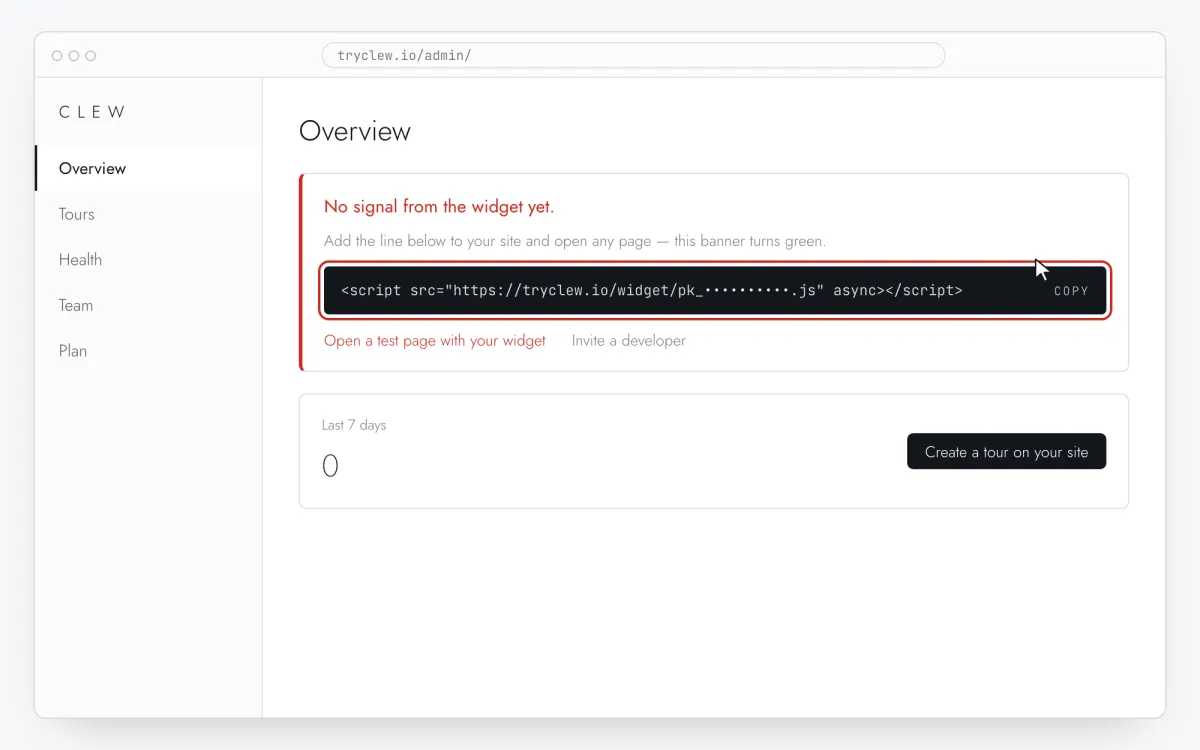
Copy your Clew snippet
Create a free account (or sign in), add your site and open Admin → Overview. Click the line in the “No signal from the widget yet.” card to copy it — it carries your real site key instead of the placeholder.
<!-- Clew: replace PASTE_YOUR_SITE_KEY with the site key from Admin > Overview -->
<script src="https://tryclew.io/widget/PASTE_YOUR_SITE_KEY.js" async></script>
Step 1 · schematic illustration - Step 02
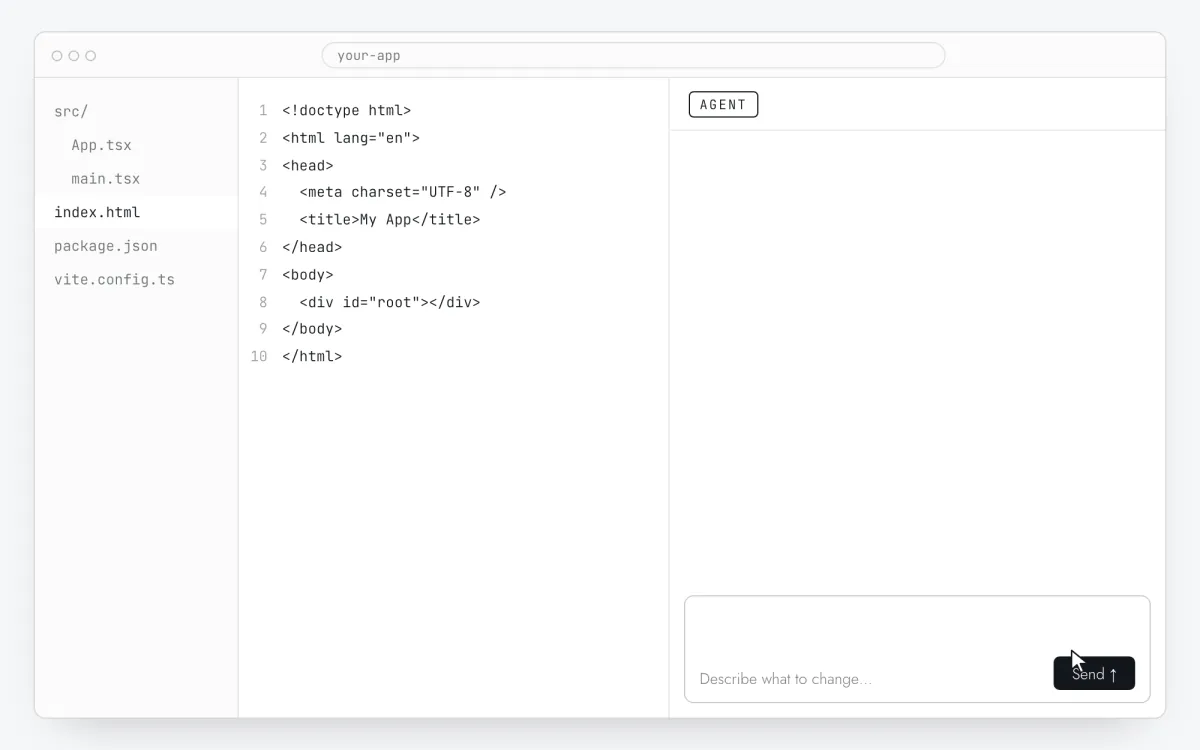
Connect the repository to Codex
In ChatGPT open Codex and connect the GitHub repository of your app (or run the Codex CLI in the project folder). A regular ChatGPT chat or canvas only shows code — it doesn’t change your repository.
Step 2 · schematic illustration - Step 03
Start a task with the prompt
Replace
PASTE_YOUR_SITE_KEYwith your key and start a Codex task with the prompt below.Add the Clew onboarding widget to this app. Insert this exact tag once so it loads on every page, including after client-side route changes: <script src="https://tryclew.io/widget/PASTE_YOUR_SITE_KEY.js" async></script> Find the root HTML file or root layout of this repository (index.html for Vite, app/layout.tsx with next/script for Next.js App Router, nuxt.config.ts app.head.script for Nuxt, the base template for server-rendered apps) and add the tag there. After the signed-in user is loaded, and whenever the subscription changes, call Clew.identify({ plan: <the user's current plan id as a string, e.g. "free"> }). If the widget may not have loaded yet, first define the queue stub: window.TutorKit = window.TutorKit || { q: [], identify: function (p) { this.q.push(["identify", p]); } }; then call window.TutorKit.identify(...). Add a data-tour attribute to the buttons of paid features (for example data-tour="export"). Do not add any payment, gating or paywall logic of your own and do not change what the buttons do. Rules: - Use the script URL exactly as given. Do not download it, bundle it or install an npm package. - If the project sets a Content-Security-Policy, allow https://tryclew.io in script-src and connect-src. - Change nothing else and show me the diff.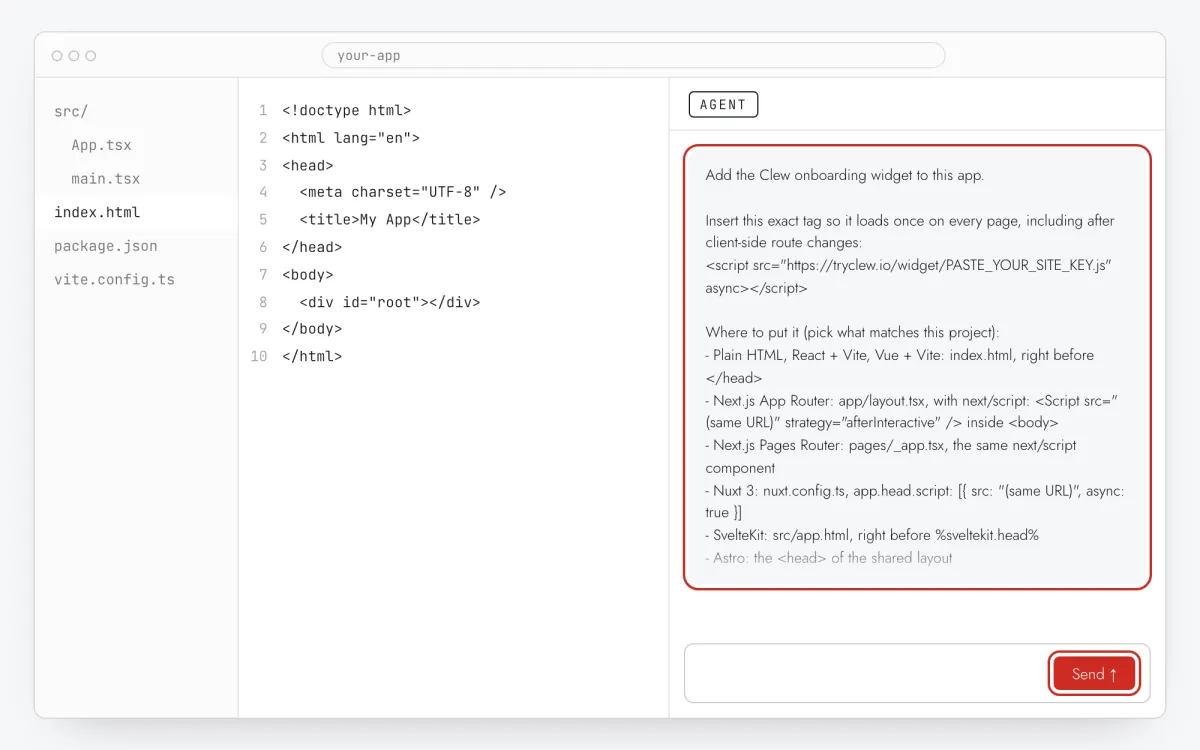
Step 3 · schematic illustration - Step 04
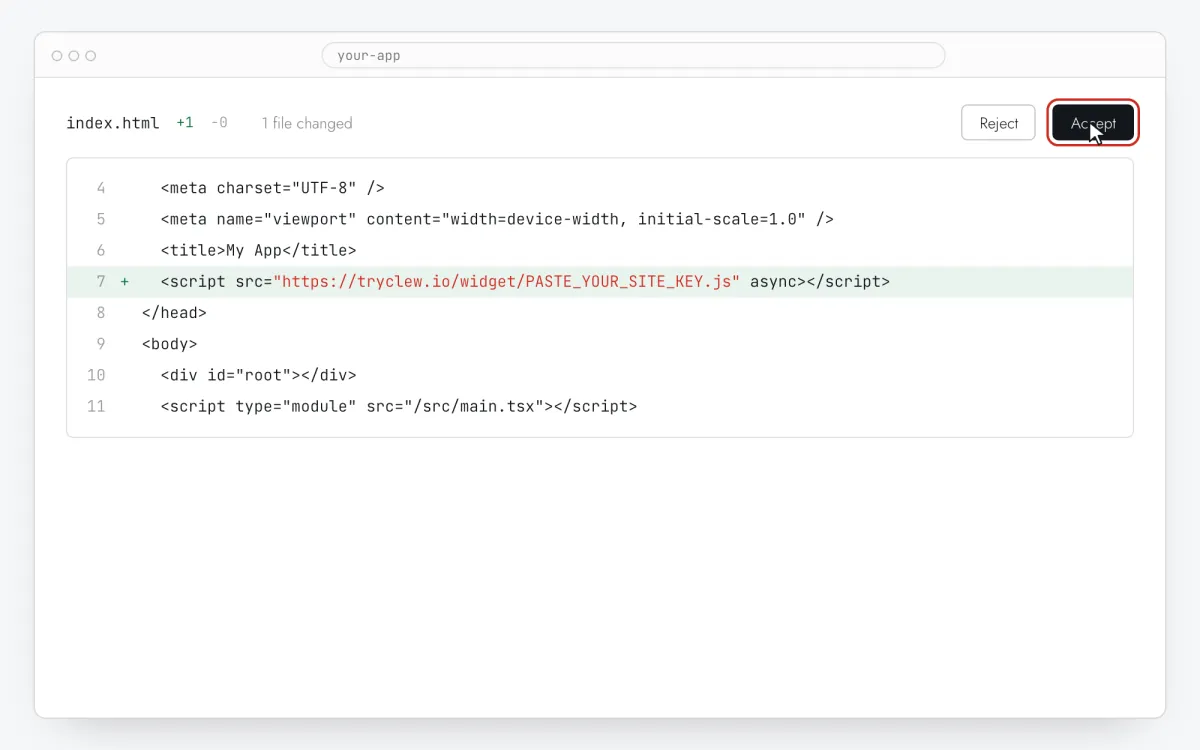
Review the pull request and merge
Codex returns the change as a diff you can open as a pull request. Check that it touches the root file and the small additions only, merge, and let your hosting deploy.
Step 4 · schematic illustration - Step 05
Write the upgrade prompt
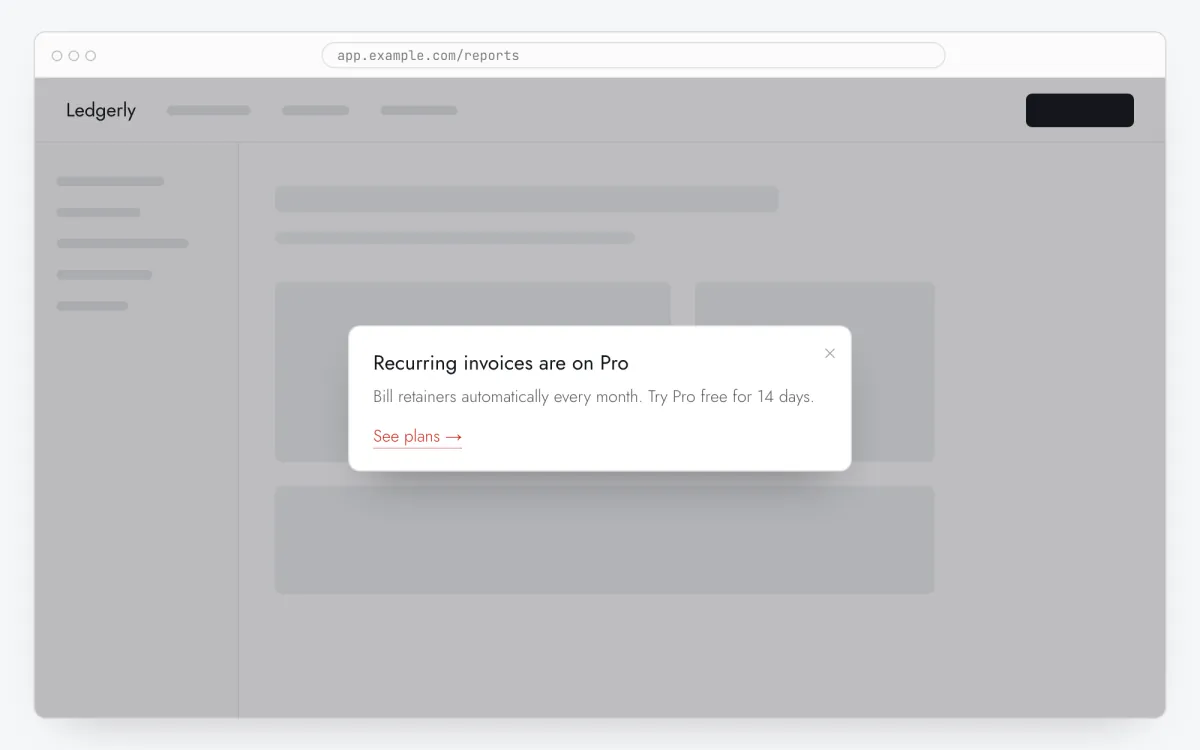
In Clew open Flows → + New flow and choose Modal window. One step: a title with the benefit (“Export to CSV is on Pro”), one sentence of value, and in Link text / Link URL the button and your pricing or checkout URL.
Step 5 · schematic illustration - Step 06
Choose where, when and for whom it shows
In the same editor, set Where to show (page URL), When to show, Audience targeting and Frequency. These are the settings of the example above:
Setting Value Format Modal window Where to show (page URL) Section by prefix /boardWhen to show On click on an element: [data-tour="automations"]Audience targeting Property planequalsfreeFrequency Every visit 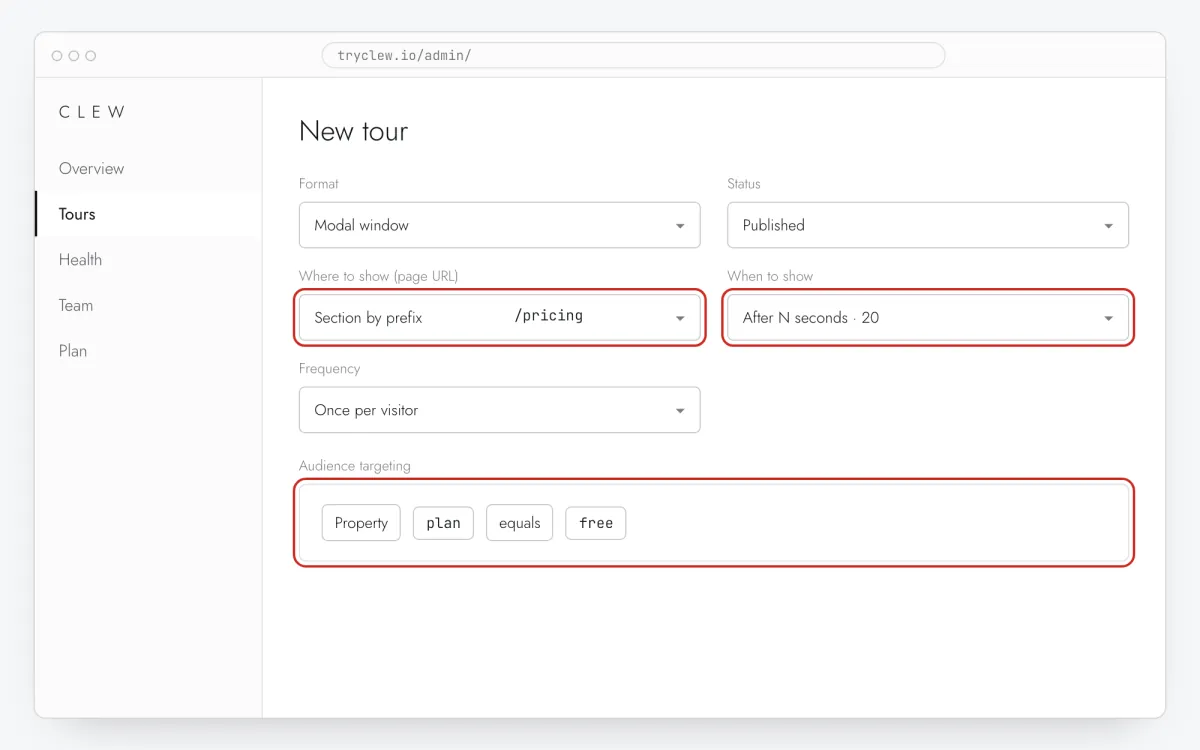
Step 6 · schematic illustration - Step 07
Publish and check it on the live site
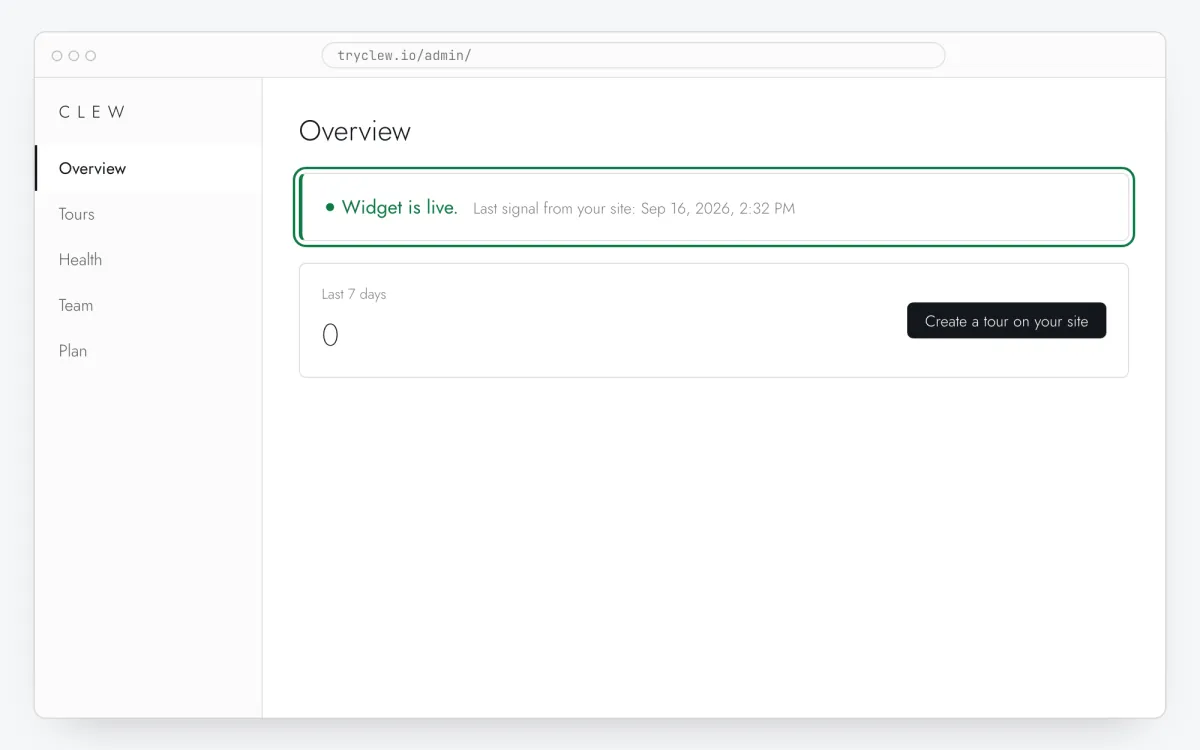
Set Status to Published and save. Open the page in a private window — Clew remembers who has already seen a “once” item, so your usual browser may skip it. Views, completions and drop-offs appear in the tour stats.
Step 7 · schematic illustration
Pitfalls: paywall upgrade prompt with ChatGPT Codex
Nothing changes until the PR is merged
Codex works in a cloud copy of the repository. Until you merge and deploy, the paywall upgrade prompt can’t appear on your site.
Canvas code is a draft
If you paste code from a ChatGPT chat by hand, you are the developer: check the file and the placement yourself, or use Codex so the change is reviewed as a diff.
The prompt doesn’t replace access checks
If the paid feature is reachable for free users in your app, the modal appears but the feature still works behind it. Check that the server side enforces the plan; the prompt is only the message.
Update the property after upgrading
Properties live in the browser until the app sends a new value. Call Clew.identify({ plan: "pro" }) after a successful upgrade, or the new customer keeps seeing the prompt.
Questions and answers
What does Codex change in the code?
The line, the plan identify call and the attribute — nothing about payments or access.
Can I do it in the ChatGPT app without Codex?
Only if you paste the result into your code yourself. Codex is the part of ChatGPT that edits a real repository.
Does Clew take the payment?
No. The button links to your own pricing page or checkout; Clew never handles cards, subscriptions or access.
Is the paywall prompt free?
It needs the modal format and an audience rule, both in Pro. The 14-day trial includes them, no card.
What else you can add with ChatGPT Codex
- How to create a product tour with ChatGPT Codex without a developer
- How to set up user onboarding with ChatGPT Codex without a developer
Paywall prompt on other platforms
- ShopifyHow to add a paywall upgrade prompt on Shopify without a developer
- Google Tag ManagerHow to add a paywall upgrade prompt via Google Tag Manager without a developer
- LovableHow to add a paywall upgrade prompt in a Lovable app without a developer
- Bolt.newHow to add a paywall upgrade prompt in a Bolt.new app without a developer
- v0How to add a paywall upgrade prompt in a v0 app without a developer
- ReplitHow to add a paywall upgrade prompt in a Replit app without a developer
- CursorHow to add a paywall upgrade prompt in an app built with Cursor without a developer
- Claude CodeHow to add a paywall upgrade prompt with Claude Code without a developer
- Qwen CodeHow to add a paywall upgrade prompt with Qwen Code without a developer