How to add a paywall upgrade prompt via Google Tag Manager without a developer
A soft paywall via Google Tag Manager: when a free user reaches a paid feature, a modal explains the upgrade and links to your pricing page — targeted by plan, measured, and editable without a release.
- Time
- ● 20 minutes
- Price
- 14-day free trial, no card
- Who does it
- Anyone who can publish in GTM
Example: an upgrade prompt via Google Tag Manager
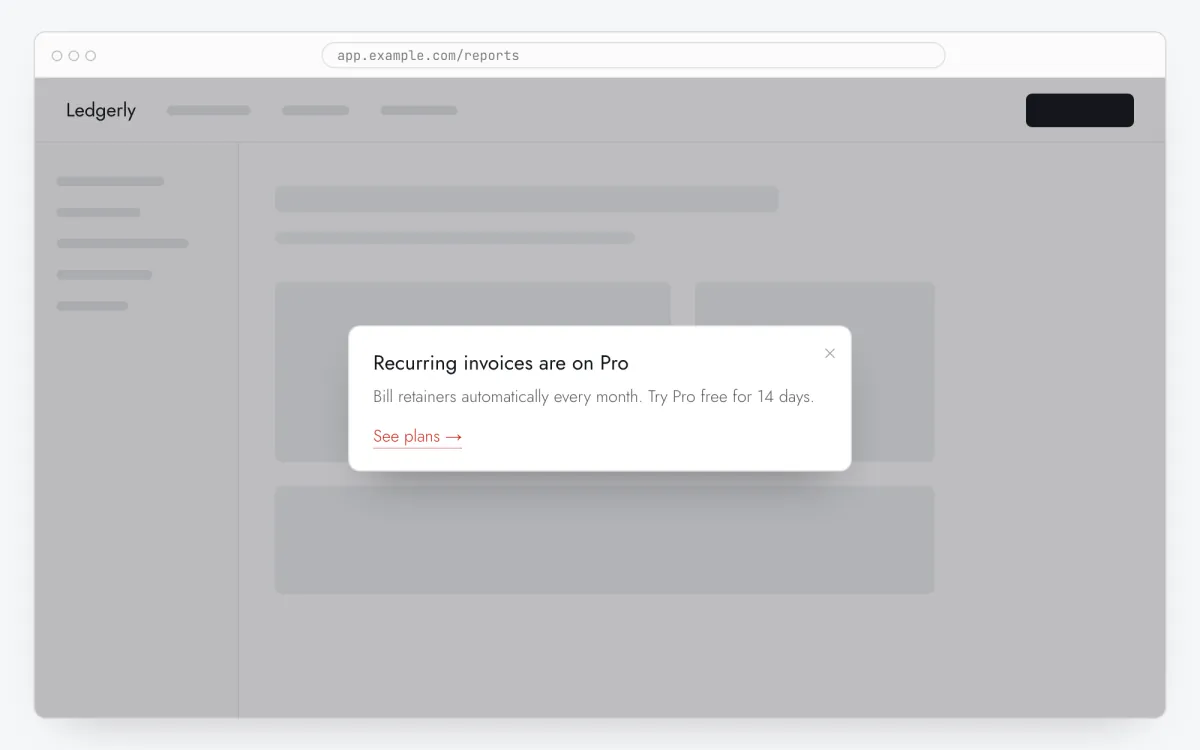
A reporting SaaS pushes plan to the data layer. When a free user clicks Export (data-tour="export") on /app/reports, a modal says “Export to CSV and PDF is on Pro” with a link to /pricing. The app itself still decides whether export runs.
This format is part of the Pro plan. Every new account starts with a 14-day free trial with all formats and audience rules, no card required. When the trial ends nothing is deleted and published items keep showing; the Free plan keeps tours and tooltips free.
How to add the paywall prompt via Google Tag Manager, step by step
- Step 01
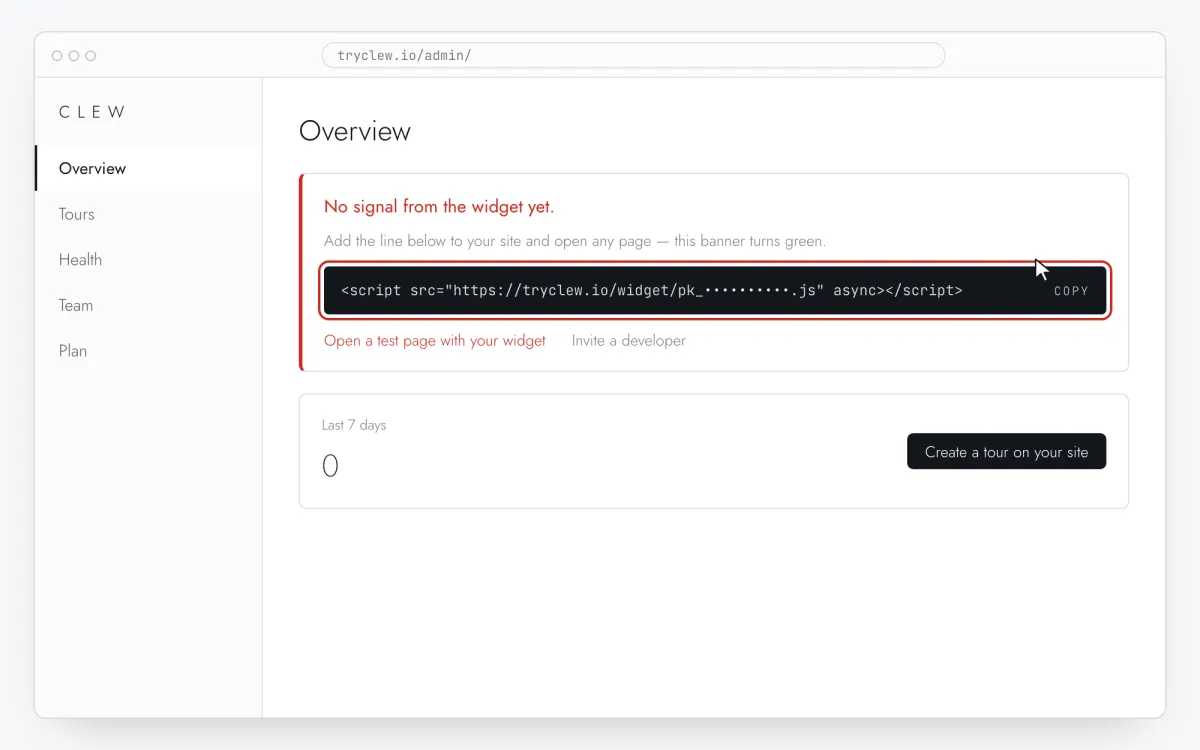
Copy your Clew snippet
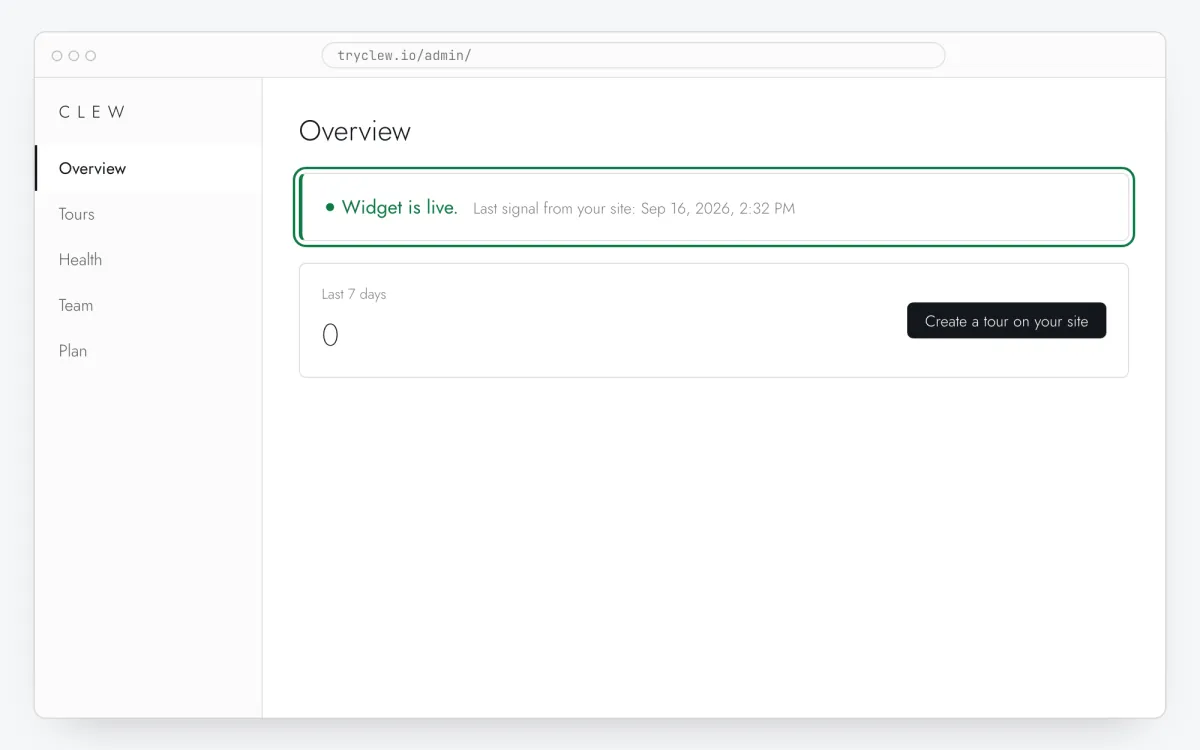
Create a free account (or sign in), add your site and open Admin → Overview. Click the line in the “No signal from the widget yet.” card to copy it — it carries your real site key instead of the placeholder.
<!-- Clew: replace PASTE_YOUR_SITE_KEY with the site key from Admin > Overview -->
<script src="https://tryclew.io/widget/PASTE_YOUR_SITE_KEY.js" async></script>
Step 1 · schematic illustration - Step 02
Create a Custom HTML tag in GTM
In tagmanager.google.com open your container, Tags → New → Tag Configuration → Custom HTML, and paste the Clew line. Name the tag
Clew widget.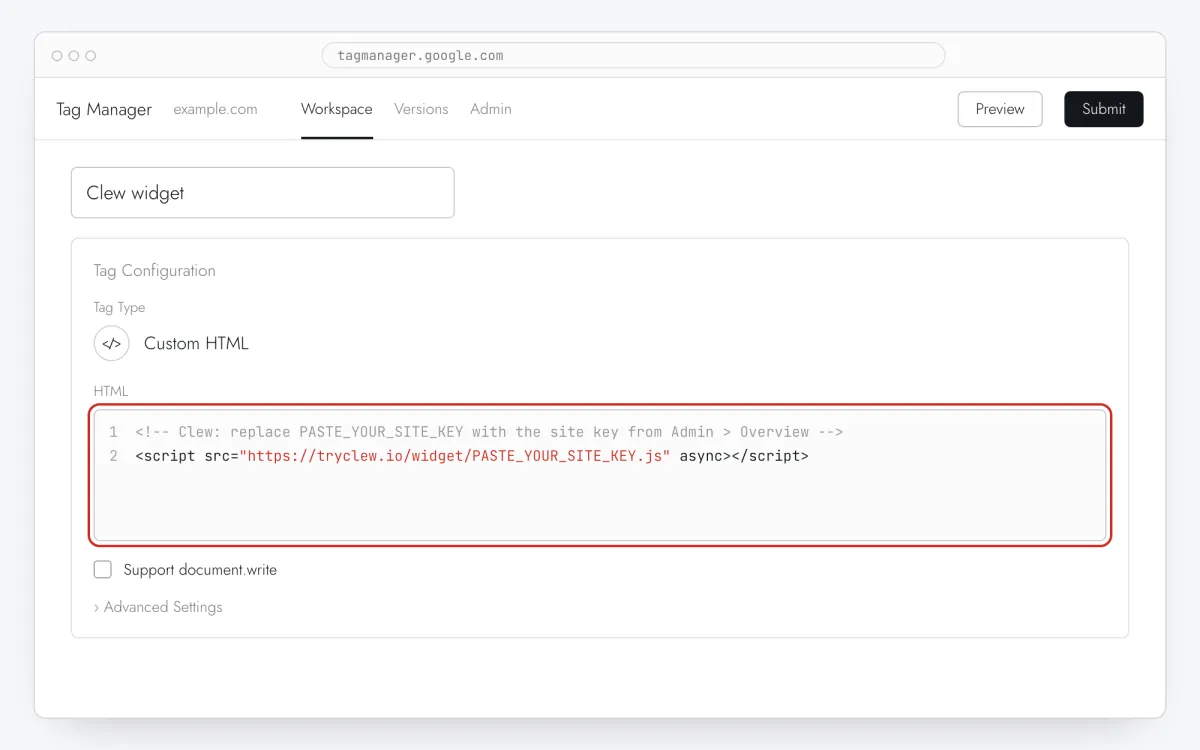
Step 2 · schematic illustration - Step 03
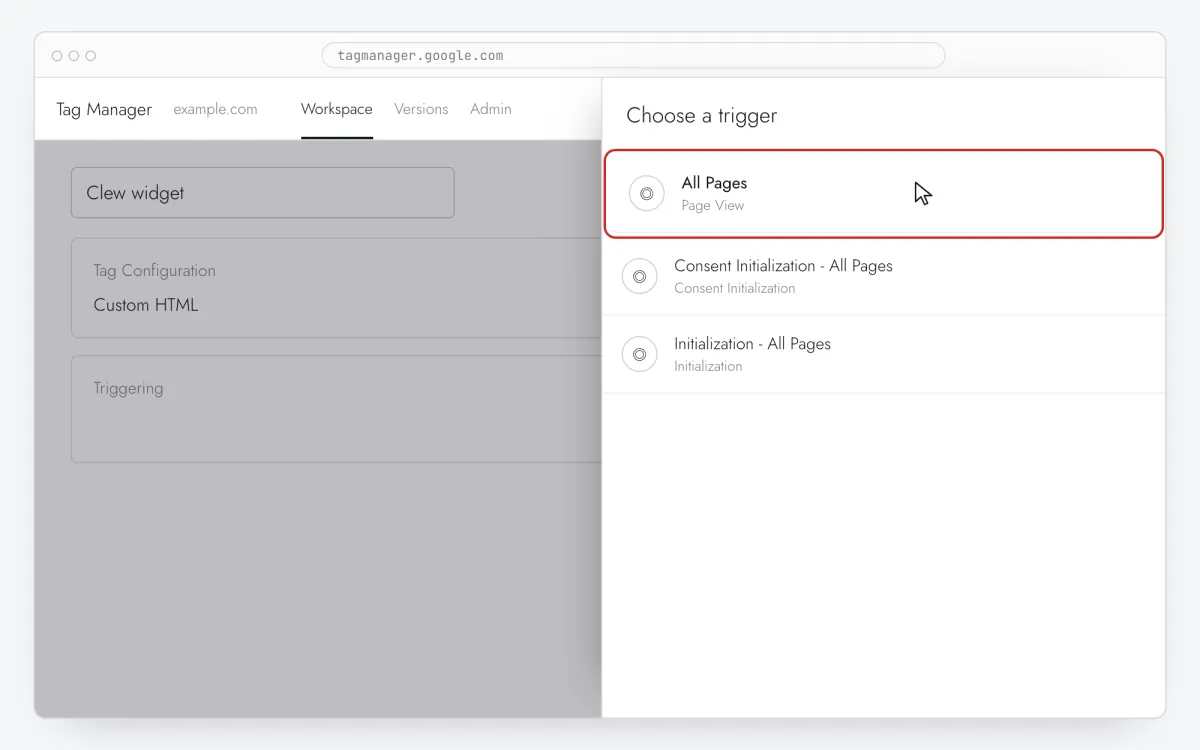
Fire it on All Pages
In Triggering choose All Pages and save. Load it everywhere: which page shows the paywall upgrade prompt is decided in Clew, not in GTM.
Step 3 · schematic illustration - Step 04
Preview, then Submit and Publish
Check in Preview that
Clew widgetis under Tags Fired, then Submit → Publish. Nothing reaches the live site before you publish.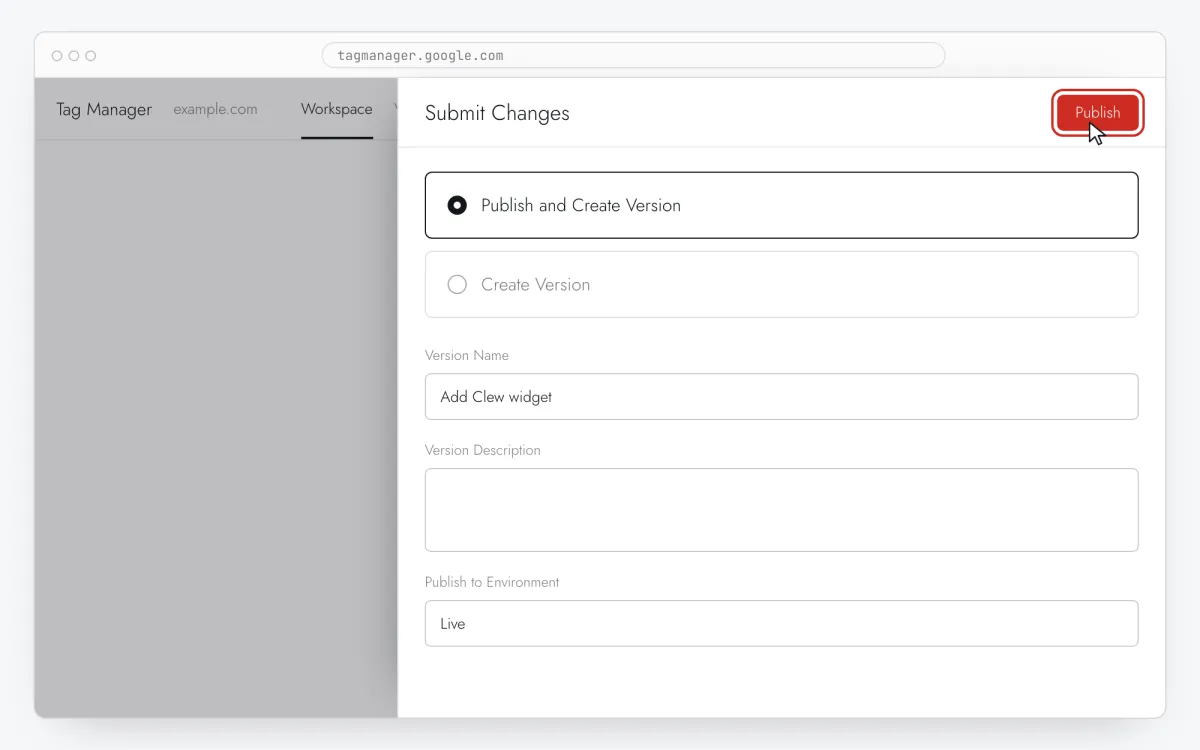
Step 4 · schematic illustration - Step 05
Write the upgrade prompt
In Clew open Flows → + New flow and choose Modal window. One step: a title with the benefit (“Export to CSV is on Pro”), one sentence of value, and in Link text / Link URL the button and your pricing or checkout URL.
Step 5 · schematic illustration - Step 06
Choose where, when and for whom it shows
In the same editor, set Where to show (page URL), When to show, Audience targeting and Frequency. These are the settings of the example above:
Setting Value Format Modal window Where to show (page URL) Section by prefix /app/reportsWhen to show On click on an element: [data-tour="export"]Audience targeting Property planequalsfreeFrequency Every visit 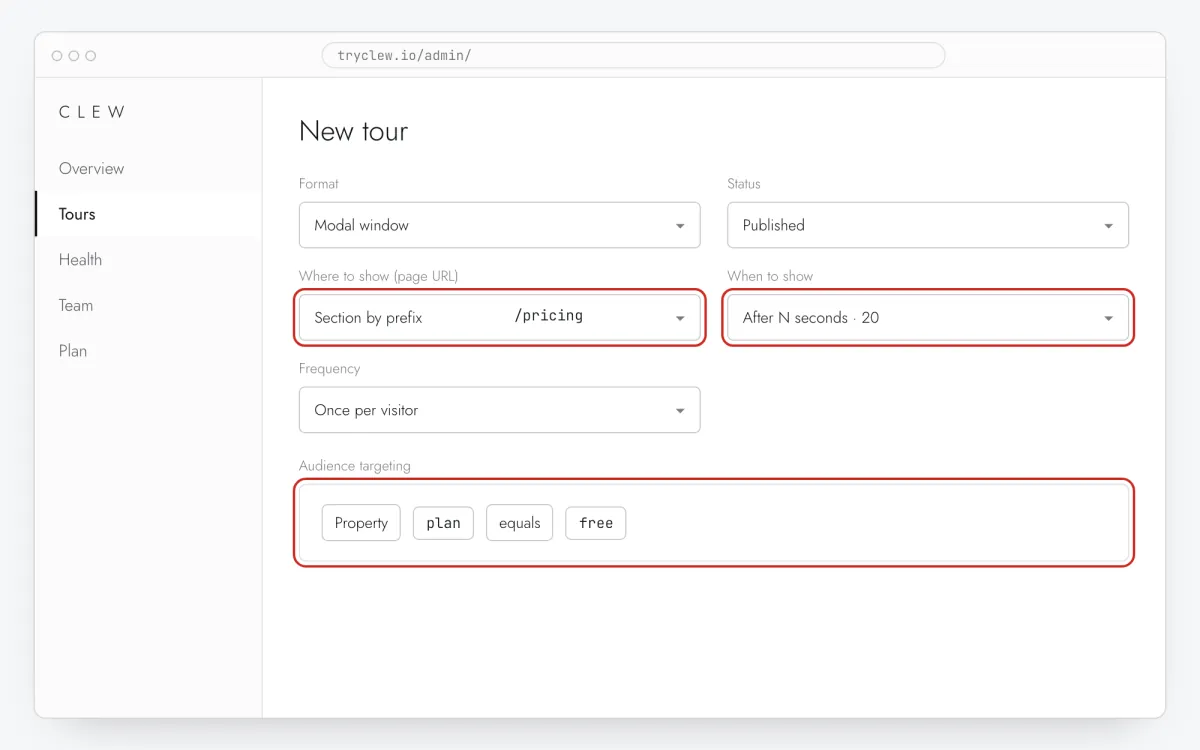
Step 6 · schematic illustration - Step 07
Publish and check it on the live site
Set Status to Published and save. Open the page in a private window — Clew remembers who has already seen a “once” item, so your usual browser may skip it. Views, completions and drop-offs appear in the tour stats.
Step 7 · schematic illustration
Pitfalls: paywall upgrade prompt via Google Tag Manager
Don’t use a History Change trigger
The widget follows single-page navigation on its own. A second trigger on History Change only loads the script again for nothing.
Pass user properties with a second tag
If your data layer has values like plan, create a Data Layer Variable and a second Custom HTML tag that calls Clew.identify() with it (see the example). Fire it on the event that carries the value, after the Clew tag.
Update the property after upgrading
Properties live in the browser until the app sends a new value. Call Clew.identify({ plan: "pro" }) after a successful upgrade, or the new customer keeps seeing the prompt.
The data layer must carry the plan
A tag manager can only pass what the page already exposes. If your data layer has no plan value, ask for it once or target a cookie your app sets.
Questions and answers
How does the plan reach Clew?
A second Custom HTML tag calls Clew.identify({ plan: '{{DLV - plan}}' }) with a Data Layer Variable.
Does GTM slow the paywall upgrade prompt down?
The widget loads a moment after the container. Only an item with Right on page load on the very first page view might appear a fraction of a second later than with a direct install.
Can GTM read the user’s plan?
Only if the site pushes it to the data layer. Then a Data Layer Variable passes it to Clew.identify() in a Custom HTML tag.
Does Clew take the payment?
No. The button links to your own pricing page or checkout; Clew never handles cards, subscriptions or access.
Is the paywall prompt free?
It needs the modal format and an audience rule, both in Pro. The 14-day trial includes them, no card.
What else you can add via Google Tag Manager
- How to add a popup to your website with Google Tag Manager without a developer
- How to create a product tour via Google Tag Manager without a developer
- How to add an onboarding checklist via Google Tag Manager without a developer
- How to set up user onboarding via Google Tag Manager without a developer
- How to add a tooltip via Google Tag Manager without a developer
- How to create an interactive product guide via Google Tag Manager without a developer
- How to add a rating popup to your website with Google Tag Manager without a developer
Paywall prompt on other platforms
- ShopifyHow to add a paywall upgrade prompt on Shopify without a developer
- LovableHow to add a paywall upgrade prompt in a Lovable app without a developer
- Bolt.newHow to add a paywall upgrade prompt in a Bolt.new app without a developer
- v0How to add a paywall upgrade prompt in a v0 app without a developer
- ReplitHow to add a paywall upgrade prompt in a Replit app without a developer
- CursorHow to add a paywall upgrade prompt in an app built with Cursor without a developer
- Claude CodeHow to add a paywall upgrade prompt with Claude Code without a developer
- ChatGPT CodexHow to add a paywall upgrade prompt with ChatGPT Codex without a developer
- Qwen CodeHow to add a paywall upgrade prompt with Qwen Code without a developer